
The Government of Delhi has implemented a digital Human Resource Management System (HRMS) to streamline HR services for its state government employees. Delhi’s HRMS portal allows government employees to access salary slips, view service records, apply for leave, check GPF and NPS details, and manage other HR-related tasks online.
This guide consolidates all available information about Delhi’s government employee portals and how to use them in 2026.
📌 Important Note for Delhi Employees
Delhi government employees may access HR services through multiple portals depending on their department — the main HRMS portal, the Finance Department’s salary system, or department-specific portals. If you are unsure which portal your department uses, contact your HR section or Drawing and Disbursing Officer (DDO).
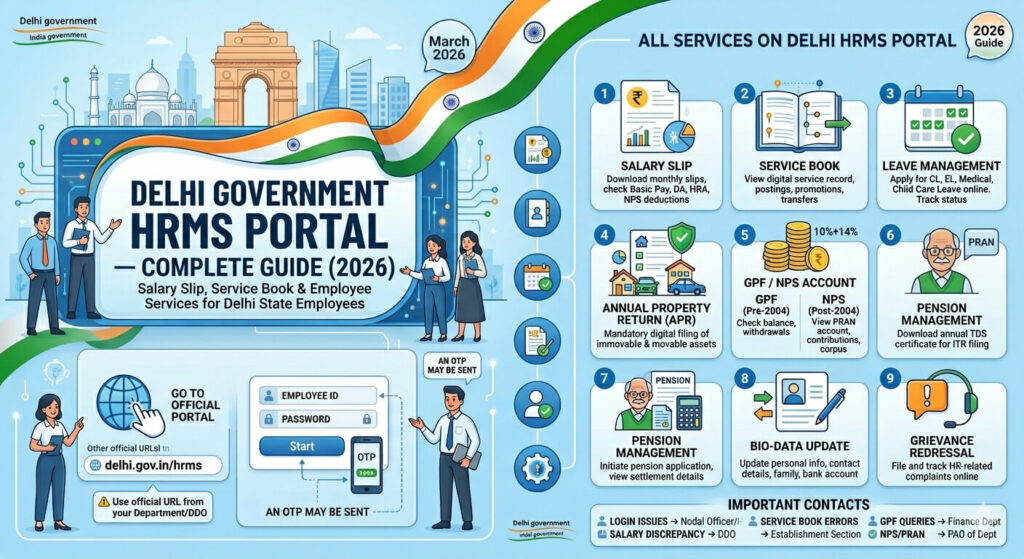
How to Login to Delhi HRMS
- Go to the official Delhi government HRMS portal — delhi.gov.in/hrms or the specific URL provided by your department.
- On the login page, enter your Employee ID as User ID.
- Enter your Password.
- Complete the CAPTCHA verification.
- Click Login.
- An OTP may be sent to your registered mobile for verification.
- After successful login, your HRMS dashboard opens.
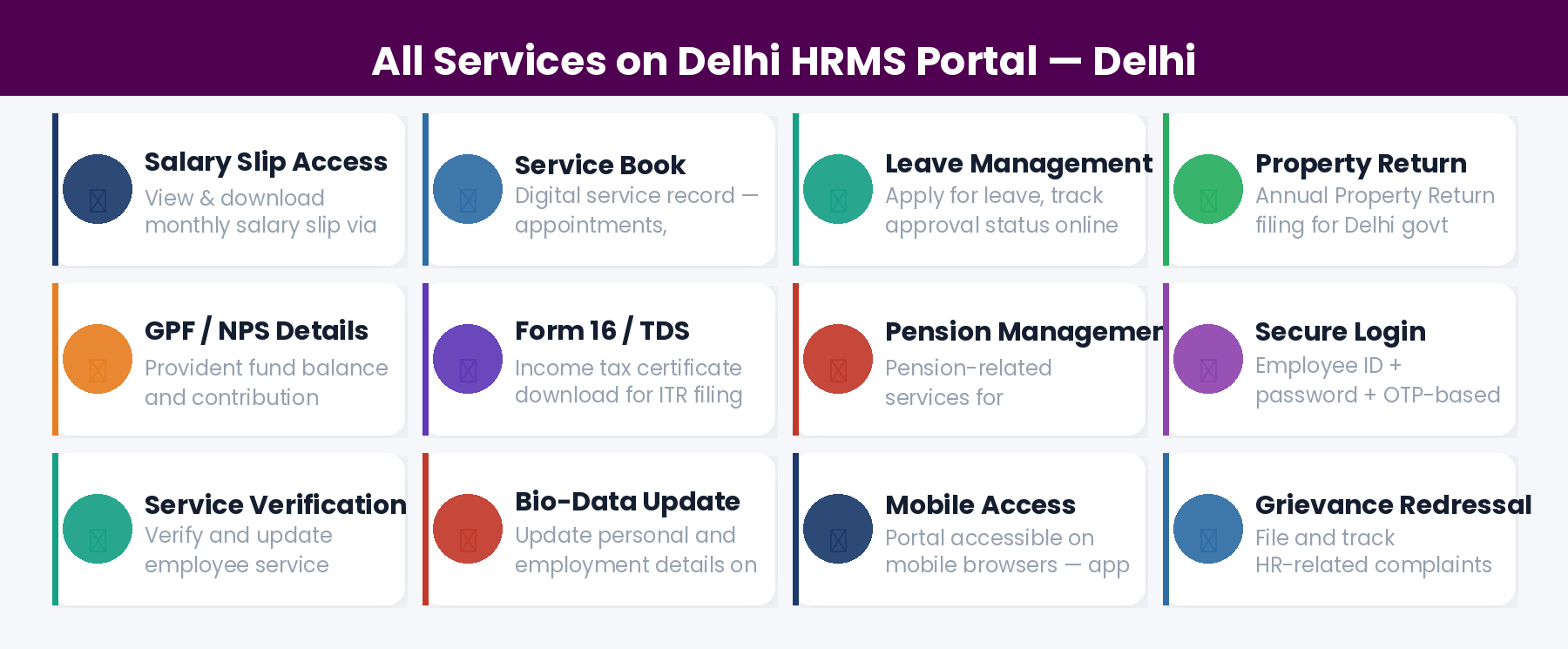
All Services on Delhi HRMS Portal
1. Salary Slip
Download your monthly salary slip showing Basic Pay, Dearness Allowance, HRA, Transport Allowance, and all deductions including NPS, income tax, and other recoveries. Slips are available for past months.
2. Service Book
Access your complete digital service record — all postings, promotions, transfers, increments, and employment history. Review regularly to ensure all entries are accurate — errors affect pension calculation.
3. Leave Management
Apply for all types of leave online — Casual Leave, Earned Leave, Medical Leave, Maternity Leave, Child Care Leave, and more. Track real-time approval status from your reporting officer.
4. Annual Property Return
All Delhi government employees must file their Annual Property Return digitally. Login to the HRMS portal → Annual Property Return section → Fill in immovable and movable property details → Submit.
5. GPF / NPS Account
Pre-2004 employees can view their GPF balance and apply for withdrawals. Post-2004 NPS employees can view their PRAN account, check contribution history (10% employee + 14% employer), and track their retirement corpus.
6. Form 16 / TDS Certificate
Download your annual income tax TDS certificate (Form 16) — required for filing Income Tax Return (ITR) every year.
7. Pension Management
Retiring employees can initiate pension-related processes through the HRMS portal — pension application, settlement details, and pension processing status.
8. Bio-Data Update
Update your personal profile details — contact information, family details, and bank account information through the employee profile section of the portal.
9. Grievance Redressal
File and track HR-related complaints through the portal. Grievances are routed to the appropriate authority for resolution.
For Delhi Government Employees — Key Contact Points
Frequently Asked Questions
Q: Which portal do Delhi government employees use for salary?
Delhi government employees access salary slips through the HRMS portal or the Finance Department’s designated salary portal depending on their department. Contact your DDO for the specific portal URL applicable to your department.
Q: How is Delhi HRMS different from central government e-HRMS 2.0?
Delhi HRMS is for Delhi state government employees (under the Government of NCT of Delhi). Central e-HRMS 2.0 (e-hrms.gov.in) is for central government employees like CSS, CSSS officers in Union Ministries. They are separate systems.
Q: Can Delhi government employees use e-HRMS 2.0?
Only if they are posted in or deputed to a central government ministry that is on e-HRMS 2.0. Regular Delhi state government employees use Delhi’s state HRMS portal.
Q: I am a Delhi government teacher. Which portal do I use?
Delhi government school teachers typically use the Directorate of Education Delhi portal for salary and HR services. Contact the Directorate of Education HR section for the correct portal access.
📚 Related Articles: