
MedPlus is one of India’s largest pharmacy retail chains with over 4,000 stores across more than 600 cities. Managing tens of thousands of employees working across pharmacy stores, diagnostic centres, and corporate offices demands a capable, centralized HR system. That system is HRMS MedPlus — accessible at hrms.medplusindia.com. This guide covers everything MedPlus employees need to know about the portal in 2026.
What Is HRMS MedPlus?
HRMS MedPlus is the official internal HR management portal of MedPlus India — a centralized digital system streamlining payroll, attendance, leave, and employee data management for the entire workforce.
HRMS MedPlus is the official employee-facing digital HR platform of MedPlus Health Services Limited. It is an internal, secure portal at hrms.medplusindia.com — not open to the public. Every MedPlus employee uses this portal to download salary slips, track EPF balances, apply for leave, review performance feedback, and access attendance records. MedPlus also provides the MHS HRMS mobile app on the Google Play Store — built specifically for MedPlus group employees.
About MedPlus India
Understanding MedPlus’s scale as one of India’s largest pharmacy chains explains why a powerful centralized HRMS is essential for managing its large, geographically dispersed retail workforce.
| Feature | Details |
| Founded | 2006 |
| Founder | Madhukar Gangadi |
| Listed on | NSE (MEDPLUS) since 2021 |
| Stores | 4,000+ pharmacy stores across India |
| Cities Covered | 600+ cities |
| E-Commerce | MedPlusMart.com (online pharmacy and health products) |
| Diagnostic Centres | Operational in 5+ cities |
| Official HRMS URL | hrms.medplusindia.com |
| Login Page | hrms.medplusindia.com/login |
| Mobile App | MHS HRMS (Android — Google Play Store) |
HRMS MedPlus — Quick Reference Table
This table gives every MedPlus employee critical portal information — URLs, login method, mobile app details, and access information — at a single convenient glance.
| Feature | Details |
| Official HRMS Portal | hrms.medplusindia.com |
| Login Page | hrms.medplusindia.com/login |
| Mobile App | MHS HRMS (Android — Google Play Store) |
| Login Method | Username + Password |
| Who Can Access | Active MedPlus employees, HR managers, top executives |
| Self Registration | New employees register via HR registration form on portal |
| Password Recovery | Forgot Password → reset via registered email |
| Portal Availability | 24/7 from any internet-enabled device |
Who Can Access HRMS MedPlus?
HRMS MedPlus is an internal portal restricted to three categories of authorized users — regular employees, HR staff, and senior executives — ensuring complete data confidentiality.
- Regular MedPlus Employees — Pharmacy store staff, warehouse employees, logistics personnel, and corporate office employees across all locations
- HR Managers and Administrators — Access to manage employee records, process payroll, review leave requests, and generate HR reports
- Top Executives — Senior management access for company-wide HR data, status monitoring, and workforce reports
How to Login to HRMS MedPlus
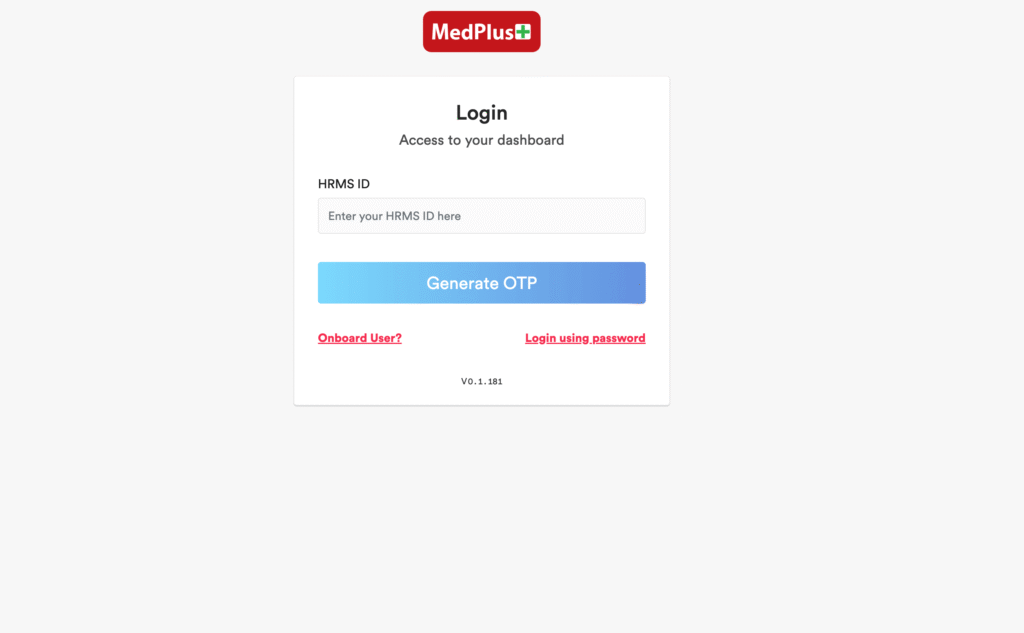
HRMS MedPlus offers two login methods — employees choose whichever is more convenient — and the portal is accessible from any browser or through the MHS HRMS mobile app.
HRMS MedPlus Web Portal Login:
- Open Google Chrome and go to hrms.medplusindia.com
- On the login page, choose your preferred login method
- Enter your Username (Employee ID or registered email) and Password
- Click Login
- Your personalized MedPlus HRMS dashboard opens with all available HR modules
Mobile App Login (MHS HRMS):
- Download MHS HRMS from the Google Play Store — search “MHS HRMS”
- Open the app and enter your employee credentials
- Access attendance tracking, leave management, time records, and employee information from your smartphone
How to Register on HRMS MedPlus (New Employees)
New MedPlus employees complete a structured online registration process to create their HRMS account — verifying identity and contact information before gaining full portal access.
- Visit hrms.medplusindia.com and navigate to the registration section
- Fill out the registration form with personal details — Name, Employee ID, Date of Birth, contact information, address
- Enter official credentials as provided during onboarding
- Verify your contact information through email or mobile number OTP
- Activate your account using the login credentials provided
- Login immediately after registration to access your HRMS dashboard
How to Download Salary Slip from HRMS MedPlus
Salary slips are downloadable in PDF format from the Salary Management section — accessible any time after payroll is processed for the relevant month.
- Login to hrms.medplusindia.com with your credentials
- On the homepage, navigate to Salary Management and click it
- A new page opens showing salary-related options
- Click on Salary Slip or Pay Slip
- Select the Date, Month, and Year for which you need the slip
- Click Generate or View — the salary slip is displayed on screen
- Click Download to save as PDF to your device
If the slip is not available for the current month, payroll processing may not yet be complete — wait 3-5 working days after month end and try again.
All Services on HRMS MedPlus
HRMS MedPlus covers all major HR functions through an automated platform — from recruitment and payroll to performance reviews and attendance — eliminating manual processes across the retail network.
Payroll and Salary Management
The payroll module automates salary computation for thousands of MedPlus employees across store, warehouse, and corporate locations — ensuring accuracy, timeliness, and complete pay transparency.
Automates monthly salary calculations incorporating all earning components and deductions. EPF balances are visible — employees track contributions without contacting HR. Incentives, increments, and bonus payments are reflected in payroll data. Annual income tax computation and TDS details are accessible for ITR filing.
Attendance Tracking
MedPlus HRMS records attendance digitally for employees across store locations, warehouses, and offices — providing real-time attendance visibility for employees and managers alike.
Daily attendance is captured through the HRMS system and the MHS HRMS mobile app. Employees view complete attendance history including daily check-in and check-out times, total working hours, and monthly summary. The mobile app makes attendance marking easy for store employees without regular desktop computer access.
Employee Self Service (ESS)
The ESS module gives MedPlus employees independence over their HR data — updating personal information, tracking EPF balances, checking performance, and managing leave without HR dependency.
Through ESS, employees manage their complete employment profile — contact details, employment history, salary slips, EPF statements, and incentive details. Performance feedback and appraisal status are visible. All routine HR needs are handled through self-service, reducing the volume of calls and visits to HR offices.
Leave Management
MedPlus HRMS digitalizes the entire leave process — from online application to manager approval to balance update — eliminating paper forms and WhatsApp messages for leave requests.
- Login to hrms.medplusindia.com
- Navigate to Apply for Leave section
- Select leave type, dates, and enter reason
- Submit — application routes to your reporting manager or store manager digitally
- Track approval status in real time
- Leave balance updates automatically after approval
Performance Management and Feedback
The performance module allows structured performance reviews, target assessment, and career progression tracking — replacing informal verbal feedback with documented digital evaluations.
Employees review their own performance metrics and KPI achievement. Managers conduct appraisals and provide structured feedback. For store employees, sales targets and customer service scores are tracked digitally. Promotion and posting decisions are based on performance data documented in the HRMS.
MHS HRMS Mobile App
The MHS HRMS app is the official MedPlus mobile application for Android — giving store and field employees on-the-go access to attendance, leave, time tracking, and personal employment records.
MHS HRMS is available on the Google Play Store. It provides attendance tracking, leave management, time management, and employee self-service features. The app is only accessible to MedPlus group employees — it is not a public app. HR and IT teams may distribute access credentials separately.
Common Problems and Solutions
This troubleshooting table helps MedPlus HRMS users resolve the most common portal, payroll, and attendance issues quickly without waiting for HR support.
| Problem | Cause | Solution |
| Cannot login to portal | Wrong credentials or forgotten password | Use Forgot Password → reset via registered email; contact HR if email not registered |
| Salary slip not available | Payroll not yet processed for the month | Wait 3-5 working days after month end; contact payroll team if still unavailable |
| EPF balance not updated | Delay in EPFO data sync | EPF data updates with some lag; check EPFO passbook directly at EPFO portal |
| Leave application not submitting | Reporting manager not assigned in system | Contact HR to ensure correct reporting manager is mapped to your employee profile |
| MHS HRMS app not loading | App version outdated or server issue | Update app from Play Store; try again after 30 minutes |
| Attendance showing absent | System error or app sync failure | Contact store manager or HR to raise attendance correction request |
HRMS MedPlus Frequently Asked Questions
Answers to the most commonly asked questions from MedPlus employees across stores, warehouses, and corporate offices about the HRMS portal and MHS app.
Q: What is the official URL for HRMS MedPlus?
The official portal is hrms.medplusindia.com. The login page is at hrms.medplusindia.com/login. The mobile app is MHS HRMS available on the Google Play Store.
Q: Who can access HRMS MedPlus?
Only MedPlus employees — store staff, warehouse employees, corporate office personnel, HR managers, and senior executives. It is an internal system not accessible to the public.
Q: How do I download my MedPlus salary slip?
Login → Salary Management → Salary Slip → Select Month and Year → Generate → Download PDF. The portal may require OTP verification before generating the slip for security.
Q: Can I track my EPF balance on HRMS MedPlus?
Yes. After login, navigate to the Payroll or ESS section to view your EPF contribution history and accumulated balance. Cross-verify with your EPFO passbook through the EPFO member portal.
Q: What is the MHS HRMS mobile app?
MHS HRMS is the official MedPlus group mobile application for Android employees — providing attendance tracking, leave management, time records, and employee self-service. Available on the Google Play Store but restricted to MedPlus employees only.
Q: How do I reset my HRMS MedPlus password?
Go to hrms.medplusindia.com → Click Forgot Password → Enter your registered email address → Follow the reset link sent to your email → Create a new strong password.
Q: Can I apply for leave through the HRMS portal?
Yes. Login → Apply for Leave → Select leave type and dates → Submit. The application goes to your reporting manager or store manager for digital approval.
Q: What should I do if my attendance is incorrectly marked?
Contact your store manager or HR representative — they can raise an attendance correction through the HRMS backend.