
Sterling Holiday Resorts Limited operates one of India’s largest and most recognized hospitality networks — resorts spread across scenic locations from Ooty and Coorg to Goa and Munnar. Behind the seamless guest experiences at these resorts is a large workforce of hospitality professionals. Managing this geographically distributed workforce requires a centralized digital HR system. That system is HRMS Sterling Holidays — powered by the Workline platform.
What Is HRMS Sterling Holidays?
HRMS Sterling Holidays is the official internal HR management platform of Sterling Holiday Resorts Ltd — built on the Workline framework to centralize employee data, payroll, leave, and attendance management.
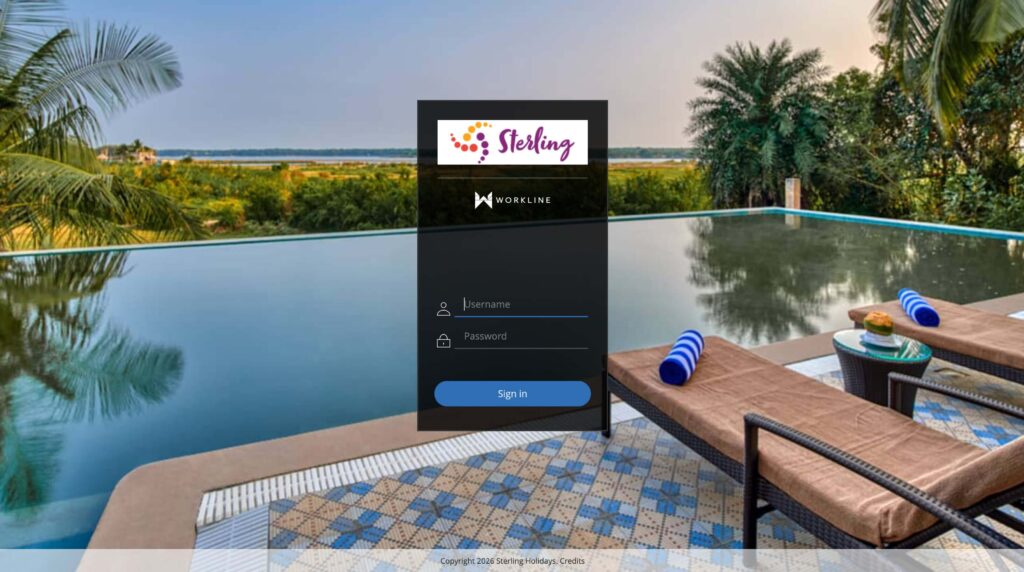
HRMS Sterling Holidays is built on the Workline platform and accessible at app170.workline.hr. It centralizes employee profiles, attendance records, salary slips, leave balances, tax declarations, reimbursements, and appraisal information. The portal also connects through the Sterling Apps Hub at apps.sterlingholidays.com — a broader employee application gateway.
About Sterling Holiday Resorts Limited
Sterling is one of India’s most established vacation ownership and holiday resort companies — its diverse workforce across resort locations and corporate offices makes a centralized HRMS essential.
| Feature | Details |
| Company | Sterling Holiday Resorts Limited |
| Founded | 1986 |
| Type | Vacation ownership and hospitality company |
| Resorts | Multiple resorts across India — hill stations, beaches, wildlife, heritage |
| Staff Types | Resort staff + corporate office teams |
| Official HRMS URL | app170.workline.hr |
| Sterling Apps Hub | apps.sterlingholidays.com |
| HRMS Platform | Workline (workline.hr) |
| SSO | Available for corporate users (Microsoft ADFS) |
HRMS Sterling Holidays — Quick Reference Table
This table gives every Sterling Holiday Resorts employee the critical portal and login details they need for quick, confident access to their HRMS dashboard.
| Feature | Details |
| Official HRMS URL | app170.workline.hr |
| Sterling Apps Hub | apps.sterlingholidays.com |
| HRMS Platform | Workline |
| Login Method | Employee code / Organizational username + Password |
| SSO Login | Available for corporate users via Microsoft ADFS |
| SSO Email Format | username@sterlingholidays.com |
| Password Reset | Contact Sterling IT support team |
| Who Can Access | Sterling Holiday Resorts employees only |
| Old Payslips | Yes — previous salary slips available after login |
How to Login to HRMS Sterling Holidays
Sterling HRMS offers two login methods — standard credential login and SSO for corporate users — making access seamless across the workforce regardless of location or role.
Standard Login (All Employees):
- Open Google Chrome and go to app170.workline.hr
- Enter your Employee Code or Organizational Username — provided during onboarding by Sterling’s HR team
- Enter your Password
- Click Login or Sign In
- Your personalized Sterling HRMS dashboard opens showing profile, designation, attendance, leave balance, and payslip access
SSO Login (Corporate Users — Microsoft ADFS):
- Go to app170.workline.hr or access via apps.sterlingholidays.com
- If SSO is enabled for your account, you will be redirected to Microsoft ADFS
- Sign in using your official Sterling corporate email — for example, username@sterlingholidays.com
- After Microsoft ADFS authentication, you are automatically redirected to your Workline HRMS dashboard
- No separate HRMS password is needed if SSO is configured for your account
How to Reset Your HRMS Sterling Holidays Password
Unlike portals with self-service reset, Sterling HRMS requires contacting the IT support team for password resets — ensuring security for employee data across hospitality locations.
- Contact the Sterling IT Support Team directly — Sterling does not offer fully self-service password reset through the portal
- Provide your Employee Code, Name, and Location/Department to the IT support team
- The IT team will verify your identity and reset your account
- You will receive new credentials or a reset link through your registered email or internal communication
For corporate users with SSO configured, password resets are handled through Microsoft’s account recovery system using your @sterlingholidays.com email credentials.
How to Download Salary Slip from HRMS Sterling Holidays
Salary slips on the Workline HRMS platform are accessible after login — available for current and previous months to support loan applications, tax filings, and personal financial records.
- Login to app170.workline.hr using your employee credentials or SSO
- On your dashboard, navigate to the Payroll or Salary section
- Click on Salary Slip or Pay Slip
- Select the Month and Year
- Click View to preview or Download to save as PDF
Previous salary slips for past months are available after login. Always download and save your salary slips monthly for loan applications, income tax filing, and financial documentation.
All Features on HRMS Sterling Holidays
The Workline platform provides Sterling employees with a complete set of HR tools covering their full employment lifecycle — from profile management and payroll to appraisals and compliance.
Employee Profile Management
The profile module gives Sterling employees a clear view of their employment details — designation, reporting structure, and professional information — and enables controlled self-updates of personal data.
Employees view their complete profile — name, designation, department, reporting hierarchy, and employment information. Personal contact details, residential address, and emergency contact information can be updated subject to standard HR approval workflows.
Attendance and Punch Management
Sterling HRMS tracks attendance for resort and corporate employees through punch-in and punch-out — critical for accurate shift management across 24-hour hospitality operations.
Employees punch in and out through the portal or integrated attendance systems. For resort staff working in three-shift hospitality operations, accurate attendance tracking directly impacts shift allowances, overtime calculations, and monthly payroll.
Leave Management
Sterling employees apply for leave, track leave balance, and monitor approval status directly through the Workline portal — replacing paper-based applications across all resort and corporate locations.
Employees apply for leave specifying leave type, dates, and reason. The application routes to the reporting manager for approval. Real-time tracking — pending, approved, or rejected — is available. Leave balance for each type is visible before submitting.
Payroll and Tax Declarations
The payroll module provides complete salary transparency for Sterling employees — monthly payslips, annual tax declarations, and reimbursement details all accessible from one dashboard.
Monthly salary slips are available after payroll is processed. Employees submit annual income tax declarations through the portal — investment proofs, rent receipts, and other deduction documents are uploaded digitally. Reimbursement claims are submitted and tracked through the payroll module.
Performance Appraisal
The appraisal module supports Sterling’s annual performance review process — employees submit self-appraisals and monitor their annual targets through the Workline platform.
Employees submit self-appraisals for their annual review. Annual performance targets are set at the beginning of each appraisal year and monitored through the year. Final appraisal ratings, increment recommendations, and feedback from reporting managers are documented and accessible.
Common Problems and Solutions
This troubleshooting table covers the most frequently reported Sterling Holidays HRMS issues with practical solutions for resort and corporate employees.
| Problem | Cause | Solution |
| Cannot login with standard credentials | Wrong employee code or password | Verify employee code with HR; contact Sterling IT support for password reset |
| SSO redirecting to error page | @sterlingholidays.com email issue | Contact Sterling IT support — SSO configuration requires backend verification |
| Salary slip not available | Payroll processing not complete | Wait for payroll cycle to close; contact HR payroll team if delay persists |
| Leave application stuck as pending | Reporting manager has not acted | Follow up with your direct reporting manager |
| Tax declaration not saving | Document upload format issue | Ensure upload is in PDF or JPG format within allowed file size |
| SSO password expired | Microsoft ADFS password policy | Reset @sterlingholidays.com email password through Microsoft account recovery |
Frequently Asked Questions About HRMS Sterling Holidays
Answers to the most common questions from Sterling Holiday Resorts employees about the Workline HRMS portal, login methods, salary slips, and features.
Q: What is the official URL for HRMS Sterling Holidays?
The official HRMS portal is app170.workline.hr. Also accessible through the Sterling Apps Hub at apps.sterlingholidays.com. Both lead to the same Workline-powered HR platform.
Q: What is Workline and why does Sterling use it?
Workline is the HR technology platform (workline.hr) that powers Sterling Holiday Resorts’ HRMS. The platform is particularly well-suited for hospitality operations with distributed, multi-location workforces.
Q: What is SSO in Sterling HRMS and who can use it?
SSO (Single Sign-On) allows corporate Sterling employees to login using their official @sterlingholidays.com email through Microsoft ADFS — without needing a separate HRMS password. SSO is available primarily for corporate users. Resort staff use standard employee code + password login.
Q: How do I reset my password for Sterling HRMS?
Contact the Sterling IT support team with your Employee Code, Name, and Location. Sterling HRMS does not offer a fully self-service public reset option. Corporate SSO users reset through their Microsoft/Outlook account recovery.
Q: Can I download old salary slips from previous months?
Yes. Previous salary slips are available after login. Navigate to the Payroll section, select the past month and year, and download the PDF.
Q: How do I apply for leave on Sterling HRMS?
Login to app170.workline.hr → Leave Management → Apply for Leave → Select type, dates, and reason → Submit. Your reporting manager receives and approves or rejects the application through the same platform.
Q: How do I submit my income tax declaration?
Login → Payroll section → Tax Declaration → Enter investment details for Section 80C, HRA, and other deductions → Upload supporting documents → Submit. Done at the beginning of the financial year and updated when investment proofs are submitted.
Q: Who can access Sterling Holidays HRMS?
Only employees of Sterling Holiday Resorts Limited — resort staff, corporate office teams, and management. The portal is strictly internal and not accessible to guests, vacation members, or travel partners.