
For more than 16 lakh government employees across Uttar Pradesh — from school teachers in Gorakhpur to health workers in Varanasi — one portal manages everything: Manav Sampada.
Officially known as eHRMS (Electronic Human Resource Management System), Manav Sampada is the digital backbone of HR administration for the Uttar Pradesh state government. Built and managed by UPSDC (Uttar Pradesh State Data Centre) using the NIC platform, it covers 90+ government departments and has become a model for digital governance across India.
This is your complete 2026 guide — covering everything from first-time login to salary slip download to APR filing.
🔗 Official Portal URL
ehrms.upsdc.gov.in — Always access the portal directly. Bookmark it. Do not use any other URL.
What is Manav Sampada eHRMS?
Manav Sampada means “Human Resource” in Hindi. It is a centralised, web-based HRMS developed by the National Informatics Centre (NIC) under the Government of India. It was first deployed in Himachal Pradesh and then adopted widely by Uttar Pradesh. Today it powers HR administration for 22+ Indian states.
Before Manav Sampada, every HR function in UP was managed through paper registers, physical files, and manual processes at departmental offices. Leave applications took days. Service book corrections took weeks. Salary slips required trips to the accounts office. All of that has been eliminated.
How to Login to Manav Sampada UP — Step by Step
- Open your browser and go to ehrms.upsdc.gov.in.
- Click on the “eHRMS Login” button at the top right of the homepage.
- From the Department dropdown, select your department code — e.g. EDUBASIC for Basic Education, MEDHLTH for Medical & Health.
- Enter your 8-digit Employee ID as User ID.
- Enter your Password. First-time users: use default password (see box below).
- Enter the CAPTCHA code — case-sensitive.
- Click Login to access your dashboard.
🔑 First Time Login — Default Password
Formula: First 3 letters of your first name (UPPERCASE) + 4-digit birth year
Examples: Ramesh born 1985 → RAM1985 | Priya born 1990 → PRI1990 | Anita born 1978 → ANI1978
Change your password immediately after first login. From July 2025, passwords must be changed every 90 days.
How to Find Your Employee ID
- Contact your departmental Nodal Officer — most reliable method
- Check your appointment letter or government ID card
- Check a recent salary slip — Employee ID is printed there
- 2026 Aadhaar-based retrieval: Click “Forgot Employee ID?” on login page → enter Aadhaar → authenticate via OTP → ID displayed instantly
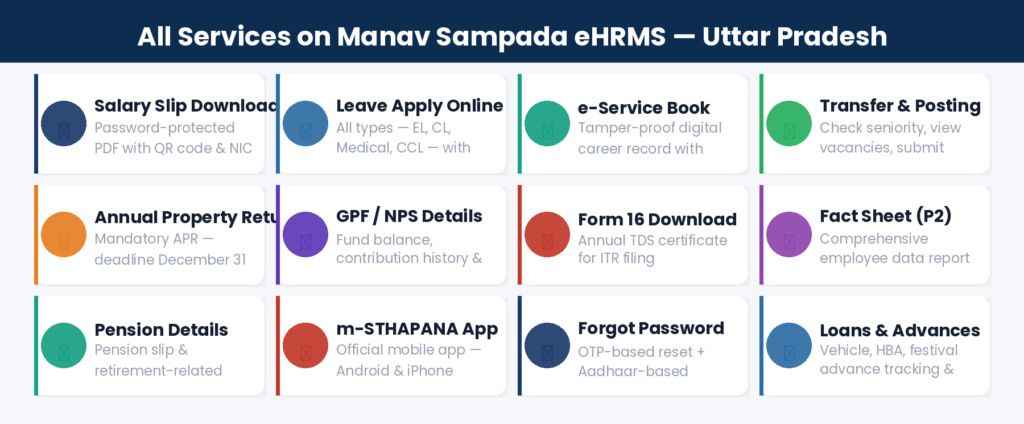
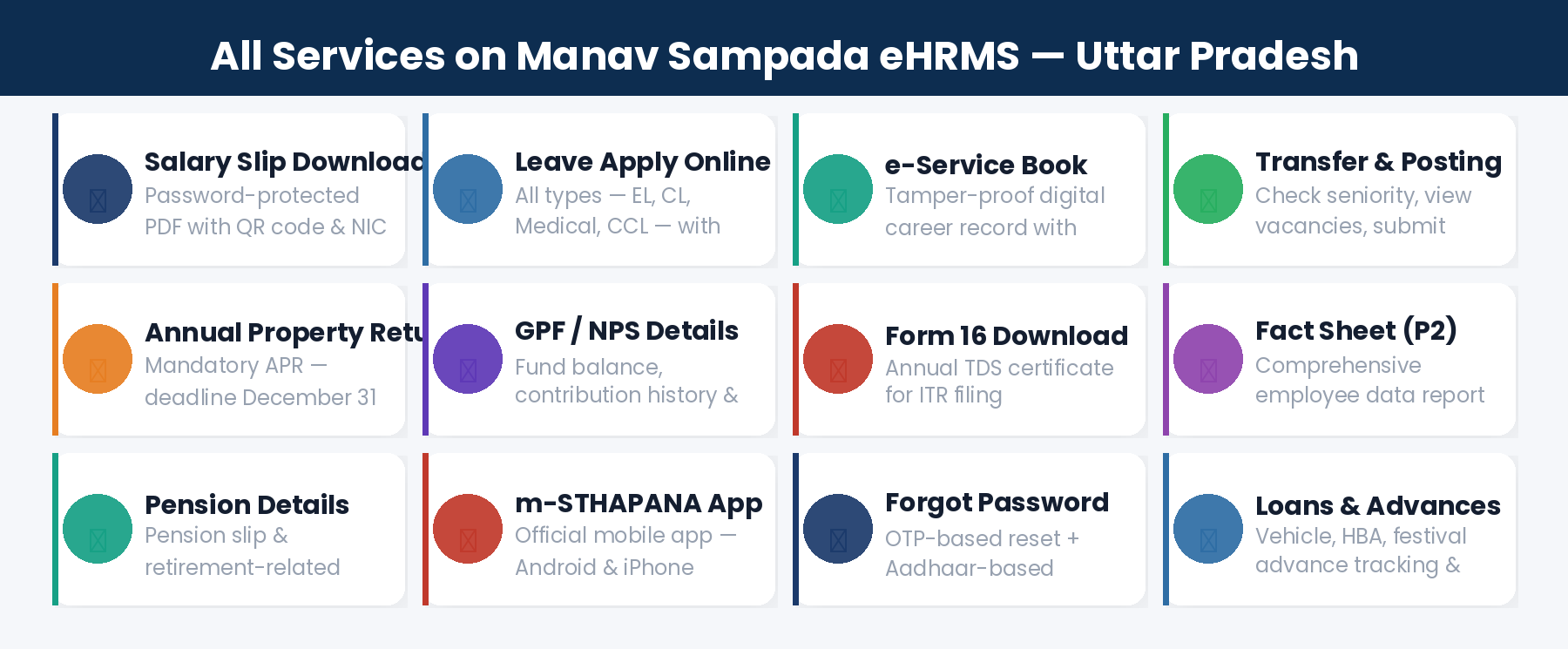
All Services Available on Manav Sampada
1. Salary Slip Download
Login → Employee Services → Payroll Management → Salary Slips → Select Financial Year & Month → Download PDF. The 2026 salary slip includes an NIC digital watermark and QR code for authenticity verification. A copy is also auto-sent to your registered email.
2. Leave Application
Login → Employee Services → Self-Service → Apply for Leave → Select leave type → Set dates → Upload documents if required → Submit. You receive a Unique Application ID (format: MS/UP/26/XXXXXX). For medical emergencies, the portal offers provisional auto-approval for 96 hours — full documents required within 5 working days.
3. e-Service Book
Your complete digital career record — appointment, promotions, transfers, increments, qualifications. The 2026 version includes a Verification Log showing every access and modification. Access via My Profile → e-Service Book.
4. Annual Property Return (APR)
Mandatory for all state government employees. File by December 31st every year. Login → Employee Services → Annual Property Return → Select year → Fill immovable and movable property details → Submit → Download acknowledgement.
5. GPF / NPS Details
View GPF balance (pre-2004 employees) or NPS account details (post-2004) under Financial Services → GPF/NPS. Apply for GPF advances online and track processing.
6. Transfer & Posting Module
View transfer history and posting orders. In states with online transfers active, check eligibility by seniority points, view vacancies, and submit district preferences online.
7. Form 16 (TDS Certificate)
Download your annual income tax certificate (Form 16) under Financial Services → Tax Documents → Form 16. Available after financial year end for ITR filing.
8. Fact Sheet P2 Report
Comprehensive employee data report accessible from the Public Window — even without login. Select department, district, and employee code to view the P2 fact sheet.
m-STHAPANA — Official Mobile App
📱 m-STHAPANA UP Government
App Name: m-STHAPANA UP Government | Developer: UPSDC | Available: Android (Google Play) + iPhone (App Store)
Supports: Salary slip, leave, service book, transfer status, APR — all on mobile. Use same Employee ID & password as web portal.
- Search “m-STHAPANA UP Government” on Google Play Store or Apple App Store.
- Verify developer is UPSDC before installing.
- Install and login with your Employee ID and portal password.
Departments Using Manav Sampada UP
- Basic Education (EDUBASIC) — teachers & educational staff
- Medical & Health Services (MEDHLTH) — doctors, nurses, paramedics
- Revenue Department — revenue, tehsil staff
- Panchayati Raj — Gram Panchayat employees
- Urban Development — municipal employees
- Higher Education — college faculty
- Police Administration — HR records (non-operational)
- Irrigation — engineering & administrative staff
- Public Works Department (PWD)
- Forest Department
- Social Welfare
- And 80+ more departments…
Manav Sampada Helpdesk Support
Common Problems and Solutions
Frequently Asked Questions
Q: What is the official URL of Manav Sampada UP?
The official URL is ehrms.upsdc.gov.in. Bookmark it. Always type the URL directly — never search and click a random link.
Q: Can a teacher use Manav Sampada?
Yes. Basic Education teachers use Manav Sampada under the EDUBASIC department code. Services include salary slip, leave, service book, and transfer requests.
Q: What is the APR deadline on Manav Sampada?
December 31st every year. Failure to file can attract departmental action. File proactively — do not wait for reminders.
Q: Which states use the Manav Sampada (NIC eHRMS) platform?
22+ states including UP, Himachal Pradesh, Bihar, Assam, Haryana, Uttarakhand, Arunachal Pradesh, Jharkhand, and more. Each state has its own portal URL.
Q: How long does leave approval take?
Regular leave: 2-7 working days. Medical emergency leave gets provisional auto-approval for 96 hours — submit full documents within 5 working days.
Q: Is Manav Sampada free to use?
Yes, completely free for all registered government employees of UP.