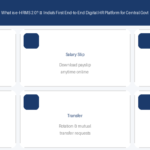
One of the most common questions central government employees ask: “What exactly can I do on e-HRMS 2.0?”
The answer is: a lot more than you might think. e-HRMS 2.0 is not just a place to download your salary slip. It is a full-service HR platform that covers your entire government service life — from joining to retirement.
1. Leave Management
Apply for any type of leave — Earned Leave (EL), Casual Leave (CL), Medical Leave, Half Pay Leave, Child Care Leave (CCL), and more. Your leave balance is visible in real time. Your reporting officer receives a notification and can approve or reject with one click. Leave history is maintained digitally for your entire service.
2. Salary Slip and Pay Details
Download your monthly salary slip for any month directly from e-HRMS 2.0. The payslip shows basic pay, DA, HRA, NPS deductions, and net pay. You can also access your annual salary statement and Form 16 (TDS certificate) — useful for home loans, visa processing, or income tax filing.
3. e-Service Book
Your complete digital career record — date of appointment, promotions, transfers, qualifications, pay revision history, and more. Keeping this updated is critical before retirement. A new improved Service Book module is coming soon to e-HRMS 2.0.
4. APAR — Annual Performance Appraisal Report
The APAR is now fully online on e-HRMS 2.0. As an employee, you submit your self-appraisal. Your reporting officer fills their assessment. The reviewing officer adds remarks. The entire workflow — submission, review, countersigning, grading — happens on the portal. No paper. No physical couriers.
5. IPR / APR — Annual Property Return
Every central government employee must file an Annual Property Return disclosing their assets. This is done online through e-HRMS 2.0. File for the current year and view past submissions. Property return data is also searchable by department and value.
6. Transfer — Rotation and Mutual
Both rotation transfers (policy-based) and mutual transfers (voluntary swap) are managed digitally. Transfer orders are generated and published through the portal. Track status in real time.
7. Deputation
View deputation vacancies across central ministries and apply directly. Your eligibility, vigilance status, and service details are verified through the same system. Everything in one place.
8. iGOT Karmayogi Training
e-HRMS 2.0 is integrated with the iGOT Karmayogi platform — the Government’s flagship online training programme for civil servants. Access assigned courses, track completion, and view your training history directly from e-HRMS 2.0.
9. Vigilance Status
Check your vigilance clearance status — required for promotions, transfers, and deputation. The portal shows your current status based on departmental records.
10. Tour and TA/DA Claims
Apply for official tour approval and submit TA/DA (Travelling Allowance/Daily Allowance) reimbursement claims. The approval workflow is fully digital with all records maintained online.
11. Reimbursements — Medical, LTC, and CEA
Claim CGHS medical reimbursements, Leave Travel Concession (LTC), and Children Education Allowance (CEA) — all through e-HRMS 2.0. Submit claims with supporting documents and track approval status digitally.
12. e-Signing and Digital Documents
e-HRMS 2.0 supports digital signatures for key HR documents — orders, certificates, and official documents can be authenticated and issued without physical stamps or wet signatures.
Coming Soon on e-HRMS 2.0 (2026)
DoPT has announced a new improved Service Book module launching soon for all users. The MCTP (Mandatory Cadre Training Programme) module is also set to go live shortly. The portal is being continuously updated with a modern UI/UX.
Frequently Asked Questions
Can I apply for leave and track its status on e-HRMS 2.0?
Yes. Apply for any type of leave, receive real-time notifications on approval or rejection, and view your full leave history.
Is Form 16 available on e-HRMS 2.0?
Yes. Form 16 can be downloaded after your ministry’s payroll is processed for the financial year.
Can I access e-HRMS 2.0 services from home?
Yes. It is a cloud-based portal accessible from any internet-connected device. The official mobile app is also available.