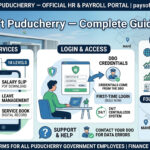
CFMS — Comprehensive Financial Management System — is the official integrated financial management portal for the Government of Andhra Pradesh. Developed and managed by APCFSS (Andhra Pradesh Centre for Financial Systems and Services) under the Finance Department, CFMS is an enterprise-grade system covering budget management, treasury, payroll, pension, and financial reporting.
For AP government employees and pensioners, CFMS is the primary system for salary slips, pension statements, GPF details, bill status tracking, and beneficiary services. The portal was recently updated to reflect the RPS 2024 (Revised Pay Scale) for all AP government employees.
🔗 Official Portal URLs
Main CFMS Portal: cfms.ap.gov.in
CFMS ID Lookup: nidhi.apcfss.in/knowYourCfmsId
Pension Payroll: payroll.nidhi.apcfss.in
Portal Overview
What is CFMS ID / Beneficiary Code?
🆔 CFMS ID — Your Primary Key
The CFMS ID (also called Beneficiary Code) is a unique 7-digit number issued by the AP Treasury Department. It is your primary identifier for all salary, pension, and financial services on CFMS. Both active employees and pensioners have CFMS IDs.
How to Find Your CFMS ID:
- Go to nidhi.apcfss.in/knowYourCfmsId
- Choose your search option — Employee Name, PAN Number, Aadhaar Number, or Account Number
- Enter the relevant details
- Click Search
- Your CFMS Beneficiary Code, Name, Address, PAN, Aadhaar, and Bank Details are displayed
How to Login to CFMS Andhra Pradesh
- Go to cfms.ap.gov.in
- Click on “Employee & Pensioner Services”
- Choose “Employee Services” for active employees or “Pensioner Services” for retired employees
- Enter your CFMS ID and Password
- Click Submit/Login to access your dashboard
How to Download Salary Slip from CFMS
Method 1 — Via My Tasks (after login):
- Login to cfms.ap.gov.in with CFMS ID and password
- Click on the “My Tasks” tab
- Click on “Beneficiary Account Section”
- Enter your Beneficiary Code (CFMS ID) and the Statement Period
- Click “Display”
- View Bill Number, Bill Date, Payment Status, UTR Number, Account details
- Download salary particulars in Excel or PDF format
Method 2 — Via Citizen Services (no login):
- Go to cfms.ap.gov.in → Click “Citizen Services”
- Go to Expenditure Links → Bill Status / Beneficiary Search
- Enter your 7-digit Employee Code
- Your salary details are displayed
- Download in Excel or PDF format
How to Download Pension Slip from CFMS
- Go to payroll.nidhi.apcfss.in or payroll.herb.apcfss.in
- Login with your CFMS ID and Password
- Select the pensioner from the dropdown list
- Click Submit
- The pension slip for the selected period is generated
- Download the PDF pension slip
All Services on CFMS Andhra Pradesh
How to Check CFMS Bill Status
- Go to cfms.ap.gov.in
- Click “Citizen Services” (bottom left of homepage)
- Go to Expenditure Links → Bill Status
- Enter your CFMS Bill Number and Year
- Click Submit
- View complete bill processing status — pending at treasury, STO-approved, or payment credited
RPS 2024 — Revised Pay Scale for AP Employees
The Government of Andhra Pradesh implemented RPS 2024 (Revised Pay Scale). All salary slips from 2024-25 onwards reflect the new structure. CFMS automatically processes salary under RPS 2024 for all eligible employees. Pensioners’ pension slips are also updated as per RPS 2024 revised pension rates.
Common Problems and Solutions
Frequently Asked Questions
Q: What is CFMS and what is APCFSS?
CFMS (Comprehensive Financial Management System) is the AP government’s integrated financial portal. APCFSS (AP Centre for Financial Systems and Services) is the body that developed and manages CFMS.
Q: What is my CFMS ID?
CFMS ID (Beneficiary Code) is a 7-digit number from AP Treasury. Find it at nidhi.apcfss.in/knowYourCfmsId by entering your name, PAN, Aadhaar, or bank account number.
Q: How is AP CFMS different from Telangana IFMIS?
AP CFMS (cfms.ap.gov.in) is Andhra Pradesh’s system managed by APCFSS. Telangana IFMIS (ifmis.telangana.gov.in) is Telangana’s separate system managed by the Telangana Finance Department. Both states developed independent systems after the 2014 bifurcation.
Q: Where do AP pensioners download pension slips?
AP pensioners use the dedicated payroll portals: payroll.nidhi.apcfss.in or payroll.herb.apcfss.in — separate from the main cfms.ap.gov.in portal.
Q: What is RPS 2024 for AP employees?
RPS 2024 is the Revised Pay Scale implemented by the Andhra Pradesh government. It revised basic pay, allowances, and deductions for all state government employees from 2024 onwards. CFMS automatically processes salaries under the new RPS 2024 rates.
Q: Can I download salary slips for past years?
Yes. AP CFMS maintains salary data for past months and years. Login and select the appropriate period to download older salary slips.