The Indian Farmers Fertiliser Cooperative Limited — better known as IFFCO — is one of the largest cooperative organizations in the world. Managing thousands of employees across fertilizer plants, marketing offices, and administrative units across India requires a powerful, centralized HR system. That system is IFFCO HRMS, and this guide tells you everything you need to know about it in 2026.
What Is IFFCO HRMS?
IFFCO HRMS is the official digital Human Resource Management System of IFFCO, serving all employees through the Employee Information System portal at eis.iffco.coop with 24/7 access.
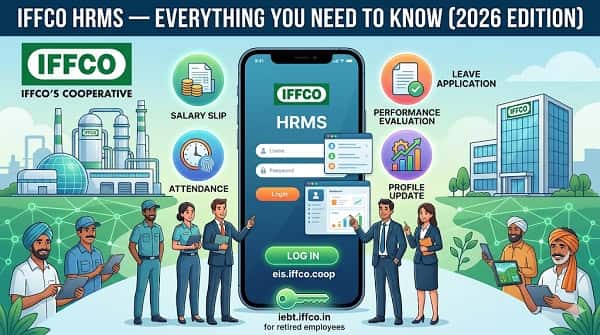
IFFCO HRMS is the integrated employee portal managing HR services for IFFCO’s workforce — salary slips, leave applications, attendance records, performance evaluations, and career history. It operates as the Employee Information System (EIS) at eis.iffco.coop. IFFCO also maintains a dedicated portal for retired employees at iebt.iffco.in — the IFFCO Employees Benevolent Trust portal.
About IFFCO — The Organisation
Understanding IFFCO’s scale as India’s largest cooperative body explains why a unified national HRMS is critical to managing its complex, multi-location workforce effectively.
| Feature | Details |
| Founded | 1967 |
| Type | Multi-state Cooperative Society |
| Headquarters | New Delhi |
| Operations | Fertilizer plants — Phulpur, Aonla, Kalol, Kandla, Paradeep & others |
| Main Products | Urea, DAP, NPK, and other complex fertilizers |
| Corporate Portal | portal.iffco.coop |
| Main HRMS (EIS) URL | eis.iffco.coop |
| HRMS Dashboard | hrms.iffco.coop |
| EIS New Portal | eisnew.iffco.in |
| Retired Employee Portal | iebt.iffco.in |
IFFCO HRMS — Quick Reference Table
This table gives every IFFCO employee all critical portal links, login information, and key system details in one convenient place for instant reference.
| Feature | Details |
| Main EIS Portal | eis.iffco.coop |
| HRMS Dashboard | hrms.iffco.coop |
| Corporate Application Portal | portal.iffco.coop |
| Retired Employee Portal | iebt.iffco.in |
| Login Method | Employee ID + Password + OTP (if prompted) |
| Self Registration | Not available — HR/IT sets up accounts during onboarding |
| Mobile Access | Yes — via mobile browser and internal app |
| Portal Availability | 24/7 |
| Salary Slip Format | PDF and Spreadsheet (both options available) |
| Password Recovery | Forgot Password → OTP verification → new password |
Who Can Access IFFCO HRMS?
IFFCO HRMS access is role-based and restricted to active employees, authorized managers, and registered retirees — outsourced and contractual staff are generally excluded.
- Regular IFFCO Employees — Plant workers, engineers, managers, marketing and administrative personnel across all IFFCO units
- HR Administrators — Full backend access for managing records, payroll, and system configuration
- Managers and Supervisors — Additional access to approve subordinate requests and view team-level data
- Retired IFFCO Employees — Access through IEBT portal (iebt.iffco.in) for payment and policy details
How to Login to IFFCO HRMS (EIS Portal)
Logging into the EIS portal takes under two minutes — follow these exact steps to reach your personalized IFFCO employee dashboard without any confusion.
- Open Google Chrome and navigate to eis.iffco.coop — type the URL directly; do not click on third-party links
- The EIS (Employee Information System) homepage loads with the login form
- Enter your Employee ID in the Username field — assigned during onboarding
- Enter your Password in the password field — passwords are case-sensitive
- Complete OTP verification if prompted — OTP is sent to your registered mobile number
- Click Login or Submit
- Your personalized IFFCO HRMS dashboard opens with attendance, leave balance, and payslip notifications
- When finished, always click Logout to close the session securely
How to Reset Your IFFCO HRMS Password
Losing portal access due to a forgotten password is quickly resolved through the built-in OTP-based recovery process available directly on the login page.
- Go to the IFFCO EIS portal — eis.iffco.coop
- Click “Forgot Password” on the login page
- Enter your Employee ID or User ID in the field
- An OTP is sent to your registered mobile number
- Enter the OTP in the verification field
- Create a new strong password — combine uppercase, lowercase, numbers, and special characters
- Confirm the new password and press Submit
- Login immediately with the new credentials to confirm everything works
How to Download Salary Slip from IFFCO HRMS
IFFCO HRMS offers two salary slip download formats — PDF and Spreadsheet — giving employees flexibility to use whichever format best suits their purpose.
Monthly Salary Slip:
- Login to eis.iffco.coop with your Employee ID and password
- On the dashboard, navigate to the Payroll section
- Click on Salary Slip or Pay Slip option
- Select the Month and Year
- Click View PDF to preview or Download to save
Annual Pay Slip (Full Year):
- Login and go to Payroll section
- Customize the Year in the dropdown menu
- Click Export Annual Pay Slip in PDF for PDF format
- Or click Export Annual Pay Slip in Spreadsheet for Excel format
- The file downloads to your device
Always download and save payslips every month. Banks require 3-6 months of consecutive salary slips for loan applications.
All Services on IFFCO HRMS
IFFCO HRMS covers the complete employee lifecycle from joining to retirement, with every HR function accessible digitally from a single login without office visits.
Employee Self Service (ESS)
The ESS module gives IFFCO employees complete autonomy over their own HR data, eliminating dependency on HR staff for routine requests and information retrieval.
Employees update personal contact details, residential address, and family member information directly. Profile management, qualification updates, and document uploads are handled through ESS. All changes are logged with timestamps for accountability.
Payroll and Salary Management
The payroll module automates IFFCO’s salary computation across multiple plant locations and employee categories, ensuring accuracy and complete transparency in every payment.
Monthly salaries are calculated automatically incorporating basic pay, DA, HRA, all plant allowances, performance components, and deductions. EPF balances, incentives, increments, and bonuses are visible. Annual income tax computation sheets and Form 16 are available for ITR filing.
Attendance Management
IFFCO integrates biometric attendance systems at plant locations with the HRMS portal, providing accurate real-time attendance data without any manual register maintenance.
Daily attendance is recorded through biometric devices at IFFCO plant gates and office entry points. Employees view their complete monthly attendance record. Discrepancy requests can be submitted digitally for supervisor review and correction.
Leave Management
The leave module digitizes IFFCO’s entire leave workflow — from online application to digital approval — with automatic balance updates after every approved transaction.
- Login to eis.iffco.coop
- Navigate to the Leave Management section
- Click Apply for Leave
- Select Leave Type — Casual, Medical, Earned Leave, etc.
- Enter From Date and To Date
- Enter the Reason for leave
- Click Submit — request goes to reporting officer digitally
- Receive notification of approval or rejection
- Leave balance updates automatically after approval
IEBT Portal — For Retired IFFCO Employees
The IFFCO Employees Benevolent Trust portal at iebt.iffco.in serves retired personnel separately with independent access to post-retirement benefits and records.
Retired IFFCO employees access the IEBT portal at iebt.iffco.in to verify personal details, check payment details, view pension-related information, and stay updated on trust policy changes.
Common Problems and Solutions
This troubleshooting table covers the most frequently reported IFFCO HRMS issues with practical solutions so employees can resolve most problems independently.
| Problem | Cause | Solution |
| Cannot login to eis.iffco.coop | Wrong Employee ID or expired password | Use correct Employee ID from appointment letter; use Forgot Password to reset |
| OTP not received | Mobile number not updated in system | Contact HR to verify and update registered mobile number |
| Salary slip not showing | Payroll cycle not complete | Wait 3-5 working days after month end; contact payroll section if delay persists |
| Annual pay slip download not working | Browser or PDF reader issue | Try a different browser; try Spreadsheet option instead |
| Attendance marked incorrectly | Biometric failure or sync delay | Submit attendance discrepancy request with correct details |
| Leave balance showing wrong | Data not refreshed after approval | Wait 24 hours; contact HR if discrepancy persists after that |
| Retired employee cannot access | Wrong portal used | Use iebt.iffco.in — not the main EIS portal — for post-retirement services |
Frequently Asked Questions
Answers to the most common questions IFFCO employees and retirees ask about the EIS portal, login, salary slips, and all available HR services.
Q1. What is the official URL for IFFCO HRMS?
A: The main EIS portal is at eis.iffco.coop. The HRMS dashboard is at hrms.iffco.coop. A newer EIS version is at eisnew.iffco.in. Retired employees use iebt.iffco.in.
Q2. What does EIS stand for in IFFCO HRMS?
A: EIS stands for Employee Information System — the official name of IFFCO’s employee portal, often referred to as IFFCO HRMS by employees. It centralizes all HR functions for the active workforce.
Q3. Can I download salary slip in both PDF and Spreadsheet format?
A: Yes. IFFCO HRMS provides both options. For monthly slips, download PDF. For annual payslips, both Export Annual Pay Slip in PDF and Export Annual Pay Slip in Spreadsheet options are available on the Payroll page.
Q4. Who can access IFFCO HRMS?
A: Only active IFFCO employees with a valid Employee ID. Retired IFFCO employees use the IEBT portal at iebt.iffco.in for post-retirement services.
Q5. Can I self-register on the IFFCO EIS portal?
A: No. Self-registration is not available. Your HRMS account is created by IFFCO’s HR and IT team during onboarding. Login credentials are provided by the IT section when you join.
Q6. How do I check my EPF balance on IFFCO HRMS?
A: Login to eis.iffco.coop → Payroll section → Your EPF balance, contribution history, incentives, increments, and bonuses are visible within the payroll module.
Q7. Is IFFCO HRMS available 24/7?
A: Yes. The portal is accessible 24 hours a day, 7 days a week from any device with an internet connection. Scheduled maintenance may cause brief downtime.
Q8. What if my service record shows incorrect information?
A: Contact your HR department at your plant or regional office to raise a correction request. Corrections to service data must go through HR — employees cannot self-edit service book entries.