HRMS Shriram is an internal online portal used by employees of Shriram Finance Limited to manage their work-related and human resource activities in a digital format. HRMS stands for Human Resource Management System, which is designed to simplify and automate various employee services such as attendance, salary details, leave management, and personal information updates.
Shriram Finance, one of India’s leading non-banking financial companies (NBFCs), operates a large workforce across thousands of branches nationwide. To manage this efficiently, the HRMS portal provides a centralized platform where employees can access important information and perform HR-related tasks without relying on manual processes.
Through the HRMS Shriram portal, employees can log in to check payslips, apply for leave, track attendance, update personal records, and access company-related notifications. It also helps the HR department manage employee data, payroll processing, and compliance in a more organised and transparent way.
Overall, HRMS Shriram improves efficiency, reduces paperwork, and ensures smooth communication between employees and management, making it an essential digital tool within the organization.
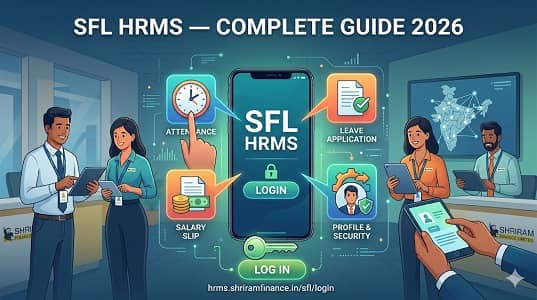
SFL HRMS Quick Overview
| Feature | Details |
| Official Portal URL | hrms.shriramfinance.in/sfl/login |
| Alternate Portal | hr.sfl.in |
| Mobile App | SFL HRMS (Android — Google Play Store) |
| Login Method | Employee ID (Username) + Password + Captcha |
| Password Recovery | Forgot Password → registered email → reset link |
| Security | Advanced encryption + Multi-Factor Authentication |
| Self Registration | Not available — HR creates accounts during onboarding |
| Portal Availability | 24/7 from any internet-enabled device |
Who Can Access SFL HRMS?
SFL HRMS access is strictly limited to active Shriram Finance employees and authorized HR personnel — the portal is not accessible to the public, customers, or contractual staff.
- Regular SFL Employees — Branch staff, loan officers, collection executives, field officers, and corporate office employees across all SFL locations
- Managers and Team Leaders — Additional access to approve leave requests, view team attendance, and manage HR workflows
- HR Administrators — Full backend access for payroll processing, employee record management, and system configuration
- Not Accessible — Customers, vendors, contractors, and non-SFL individuals cannot access the portal
How to Login to SFL HRMS — Step by Step
The SFL HRMS login process is designed to be simple and secure — employees use their Employee ID and password to reach the personalized ESS dashboard in under two minutes.
- Open Google Chrome and navigate to hrms.shriramfinance.in/sfl/login — always type this URL directly in your browser
- The SFL HRMS Employee Self-Service Portal login page opens
- Enter your Username — typically your Employee ID provided by HR during onboarding
- Enter your Password — passwords are case-sensitive; first-time users should use the default password and change it immediately
- Complete the CAPTCHA verification — enter the displayed code accurately
- Click Login or Sign In
- You are directed to your personalized dashboard showing all available ESS features
- When finished, always click Logout — especially important on shared branch office computers
How to Reset Your SFL HRMS Password
Forgetting your portal password is easily resolved through the built-in email-based reset process available directly on the SFL HRMS login page.
- Go to hrms.shriramfinance.in/sfl/login
- Click the “Forgot Password” link on the login page
- Enter your registered email ID or Employee ID in the field
- A password reset link is sent to your registered email address
- Open your email and click the reset link
- Follow the on-screen instructions to set a new strong password
- Login with your new credentials immediately to confirm access is restored
How to Download Salary Slip from SFL HRMS
SFL HRMS allows employees to download their monthly payslip in PDF format in seconds — accessible anytime from the Payroll section after login.
- Login to hrms.shriramfinance.in/sfl/login with your Employee ID and password
- On your dashboard, navigate to the Payroll or Salary section
- Click on Salary Slip or Pay Slip
- Select the Month and Year for which you want the salary slip
- Click View to preview on screen
- Click Download or Print to save as PDF
Always download your salary slips monthly. Banks typically ask for the last 3-6 months of salary slips for loan applications, home purchase documentation, and vehicle financing.
All Services on SFL HRMS
SFL HRMS consolidates all major HR functions into one portal — from payroll and leave to performance and grievances — eliminating the need for separate systems or repeated HR visits.
1. Employee Self Service (ESS)
The ESS module is the core of SFL HRMS — giving everyone direct, independent access to their own HR data and routine services without HR dependency.
Through ESS, SFL employees update personal information including contact numbers and email addresses. They access the organization chart to understand reporting structures and search colleague profiles to find email IDs and phone numbers.
2. Payroll Management
The payroll module automates salary computation and tax processing for SFL’s large field-based workforce, ensuring accurate and timely salary disbursement with complete transparency.
Monthly salaries are computed automatically incorporating basic pay, allowances, performance-linked components, and all statutory deductions — PF, ESI, Professional Tax, and TDS. Income tax computation and Form 16 are accessible for ITR filing.
3. Leave Management
The leave module digitizes the entire SFL leave workflow — from employee application to manager approval — with real-time status updates and automatic balance adjustments.
- Login to hrms.shriramfinance.in/sfl/login
- Navigate to the Leave Management section
- Click Apply for Leave
- Select Leave Type — Casual, Earned, Medical Leave, etc.
- Enter From Date and To Date and Reason
- Click Submit — forwarded to reporting manager digitally
- Track real-time approval status
- Leave balance updates automatically after approval
4. Grievance Redressal
The grievance module provides SFL employees a transparent, tracked platform for raising HR and operational concerns — replacing unresolved verbal complaints with documented digital escalations.
Employees raise concerns — salary discrepancies, attendance issues, leave disputes — through the grievance module. Each complaint is assigned a reference number for tracking and routed to the appropriate authority.
5. Training and Development
The training module on SFL HRMS gives employees access to learning resources and professional development programs relevant to their role in financial services.
Employees access training modules, enroll in skill development programs, and track learning progress. Mandatory compliance training notifications — particularly important for NBFC employees — are sent through the portal.
SFL HRMS Mobile App
The SFL HRMS mobile app on Google Play Store gives field-based SFL employees convenient on-the-go access to leave requests, tour requests, and on-duty submissions from any smartphone.
Available on the Google Play Store for Android devices. Designed for employees who are frequently in the field — loan officers, collection executives, and branch staff. Key features include leave application, tour request, on-duty request, and approval notifications.
Common Problems and Solutions
This troubleshooting table covers the most frequently reported SFL HRMS issues with practical solutions so most employees can resolve problems independently.
| Problem | Cause | Solution |
| Cannot login | Wrong username or password | Verify Employee ID; check Caps Lock; use Forgot Password to reset |
| Reset email not received | Wrong email or spam folder | Check spam folder; contact Branch HR to verify registered email |
| Salary slip not showing | Payroll cycle not complete | Wait 3-5 working days; contact payroll section if delay persists |
| Leave not going through | Reporting manager not mapped | Contact HR to ensure correct manager is assigned to your profile |
| Attendance incorrect | Biometric failure or sync error | Raise attendance correction request through portal with correct details |
| Portal not loading | Cache issue or browser | Clear cache; use Google Chrome; try incognito mode |
Frequently Asked Questions
Answers to the most common questions from Shriram Finance employees about the SFL HRMS portal, login, salary slips, leave, and all available features.
Q1. What is the official URL for SFL HRMS?
A: The official portal is hrms.shriramfinance.in/sfl/login. Also accessible at hr.sfl.in. The official mobile app is SFL HRMS available on the Google Play Store for Android.
Q2. What does SFL stand for?
A: SFL stands for Shriram Finance Limited — one of India’s largest non-banking financial companies (NBFCs) offering commercial vehicle, two-wheeler, personal, gold, and SME loans across India.
Q3. Can I self-register on the SFL HRMS portal?
A: No. Your HR department creates your account during onboarding. Your Employee ID and default login credentials are provided by HR when you join. Contact your Branch HR if you have not received them.
Q4. How do I download my salary slip from SFL HRMS?
A: Login → Payroll / Salary section → Salary Slip → Select Month and Year → View → Download PDF. Payslips are available for any past month after login.
Q5. Can I apply for leave through the SFL HRMS mobile app?
A: Yes. The SFL HRMS mobile app supports leave applications, tour requests, and on-duty requests. Designed especially for field-based and mobile SFL employees.
Q6. How do I update my contact details on SFL HRMS?
A: Login → Profile section → Edit required fields → Save. Sensitive fields may require HR approval before changes are reflected in the system.
Q7. What should I do if my payroll has an error?
A: Use the Grievance Redressal module on the portal to formally report the payroll discrepancy. Include the salary slip showing the error and a description of what is incorrect.
Q8. How secure is the SFL HRMS portal?
A: The portal employs advanced encryption protocols and multi-factor authentication to protect employee data. Only authorized SFL employees can access the portal.