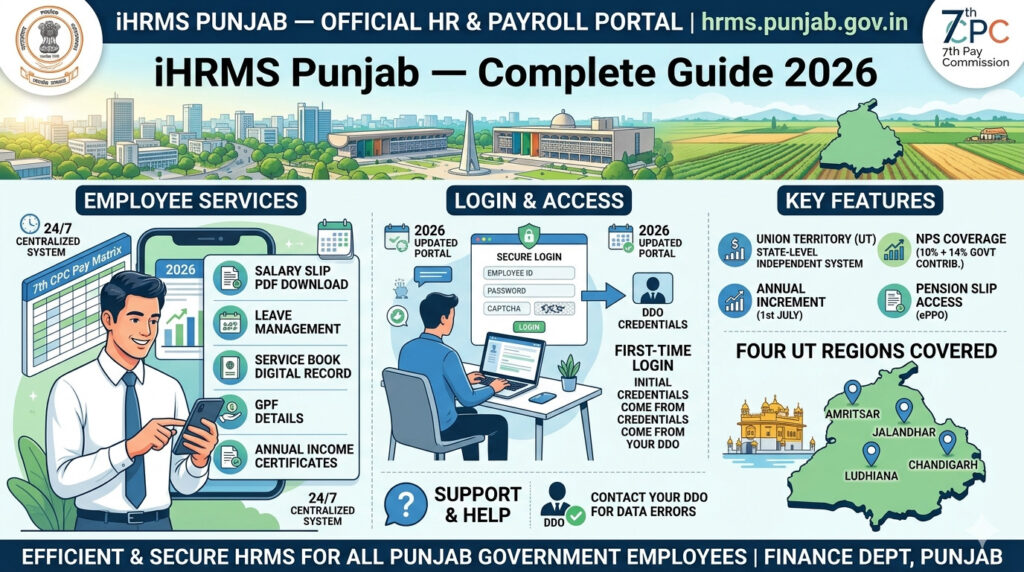

iHRMS Punjab — the Integrated Human Resource Management System — is the official digital HR platform for Punjab state government employees. Developed by NIC Punjab and launched in 2013 under the Department of Governance Reforms & Public Grievances, it covers 47 administrative departments, over 200 government entities, and 300+ field-level offices across the state.
From salary slips and GPF statements to leave applications and pension downloads, iHRMS Punjab puts every major HR service at the fingertips of Punjab government employees.
How to Login to iHRMS Punjab
- Go to hrms.punjab.gov.in.
- On the homepage, go to the Login section.
- Enter your Employee Code (User ID), Password, and the CAPTCHA code.
- Click Login.
- You are now on your employee profile dashboard.
🆔 How to Get Your Employee Code
If you do not know your Employee Code: Go to hrms.punjab.gov.in → Click “Get iHRMS Code” on the right side of the login bar → Select State: Punjab → Enter Date of Birth and registered mobile number → Enter CAPTCHA → Click “Fetch Employee Code” → Your code is sent to your registered mobile number.
How to Download Salary Slip (Pay Slip) on iHRMS Punjab
- Login to iHRMS Punjab at hrms.punjab.gov.in.
- On your dashboard, click on “My Services.”
- Under My Services, go to Payroll Services.
- Click on “Monthly Payslip.”
- Select the Year and Month from the calendar.
- Click “View Report.”
- Your pay slip appears on the screen. Download it as PDF.
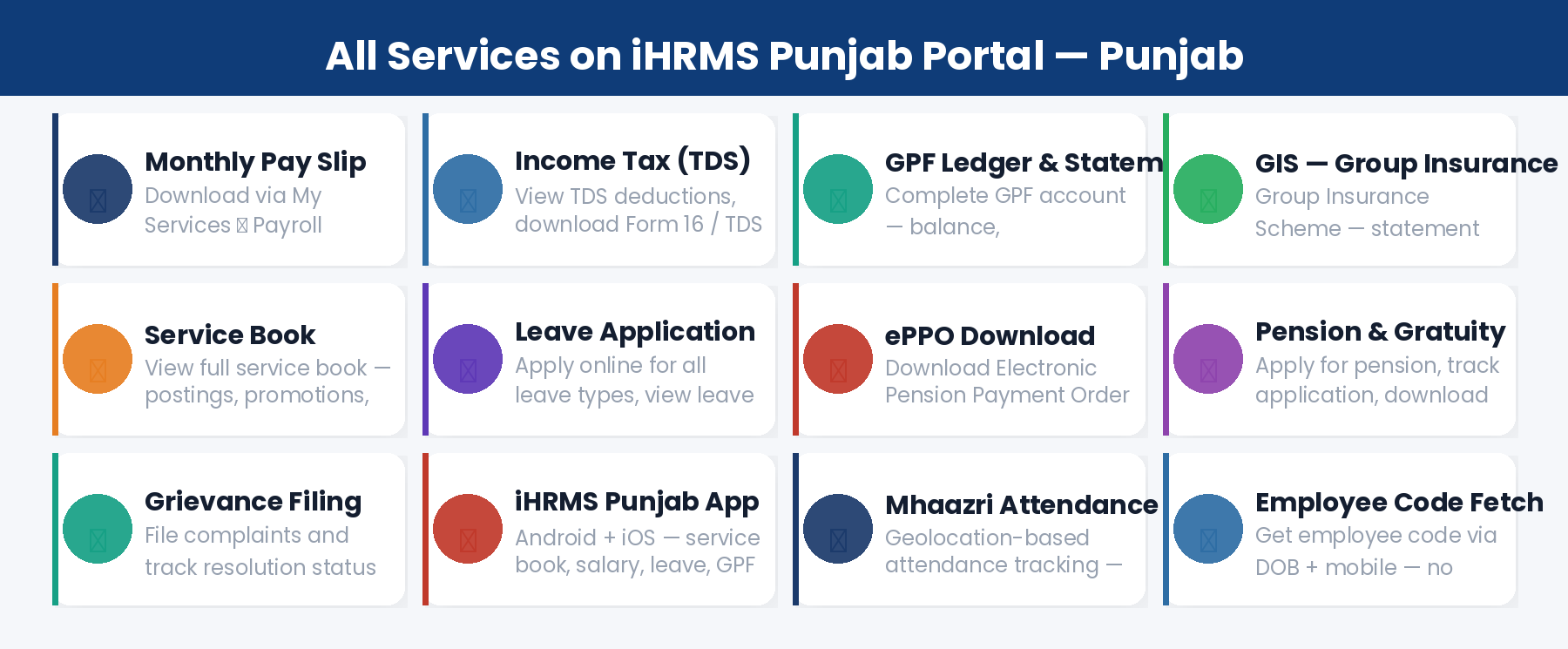
All Services on iHRMS Punjab
1. Pay Slip & Salary
Monthly salary slips available for all past months. Includes basic pay, allowances, deductions (GPF, GIS, NPS, income tax), and net pay.
2. Income Tax (TDS) & Form 16
View income tax deductions and download your annual Form 16 (TDS certificate) from the portal. Required for ITR filing. Also access online requests for increasing or decreasing advance income tax deductions.
3. GPF Ledger & Statement
View complete GPF (General Provident Fund) ledger — balance, contributions, withdrawals. Download GPF statement for any period. Also access GPF subscription change requests.
4. GIS — Group Insurance Scheme
View your Group Insurance Scheme statement — premium details, coverage, and account summary.
5. Service Book
View your complete service book — all postings, promotions, increments, disciplinary records, and employment history. Access it from My Services → Service Book.
6. Leave Application & Leave Ledger
Apply for all leave types online and view real-time approval status. View complete leave ledger showing all leave types available, availed, and current balance. Also see your current Leave Reporting and Approving Officer.
7. ePPO — Electronic Pension Payment Order
Download your ePPO (Electronic Pension Payment Order) directly from the portal dashboard. A major benefit for retiring employees — no physical visit to pension office needed.
8. Pension & Gratuity
Apply for pension, track your pension application status, and download pension statement. Gratuity calculations and applications are also managed through the portal.
9. Loans and Advances
View details of any loans and advances taken — vehicle loan, house building advance, festival advance. See recovery schedules and outstanding balance.
10. Grievance Filing
File HR-related complaints and grievances through the portal. Track resolution status online.
11. Mhaazri — Attendance App
Punjab has introduced the Mhaazri app for geolocation-based attendance tracking. Employee attendance is recorded via GPS and integrated with leave and salary modules. This is particularly applicable to field staff and teachers.
12. ACR — Annual Confidential Report
View your ACR (Annual Confidential Report / APAR) grades and status through the portal.
iHRMS Punjab Mobile App
📱 iHRMS Punjab Mobile App
App Name: iHRMS Punjab | Available on: Android (Google Play Store) + iOS (Apple App Store)
Features: Service book, salary slip, GPF statement, GIS, leave apply, ACR status, income tax details, government holidays, notifications.
Download: Search “iHRMS Punjab” on Play Store or App Store.
Frequently Asked Questions
Q: What is the official website for iHRMS Punjab?
The official URL is hrms.punjab.gov.in. Always use this exact URL. Do not use any unofficial or third-party versions.
Q: How do I get my iHRMS Employee Code?
Go to hrms.punjab.gov.in → click “Get iHRMS Code” → enter state (Punjab), date of birth, and mobile number → click Fetch Employee Code. The code is sent to your registered mobile.
Q: What is the Mhaazri app?
Mhaazri is Punjab government’s geolocation-based employee attendance tracking app. It records when and where employees mark their attendance, integrated with the iHRMS leave and payroll system.
Q: How do I download my ePPO from iHRMS Punjab?
Login to iHRMS Punjab → Dashboard → Download ePPO option. Your Pension Payment Order is available directly — no separate office visit required.
Q: Can I access iHRMS Punjab from my phone?
Yes. Use the iHRMS Punjab mobile app (Android + iOS) or access hrms.punjab.gov.in from your mobile browser. All major features are available on both.