Your registered mobile number on Railway HRMS is not just a contact detail — it is your security key. Every login requires an OTP on this number. Password resets go to this number. ePass bookings send confirmations here. If your number has changed or was never registered correctly, you need to update it immediately.
This guide explains all the ways to change or update your mobile number on Railway HRMS in 2026.
⚠️ Why This Is So Important
Without a correctly registered mobile number, you cannot receive OTPs, cannot reset your HRMS password, and cannot book tickets using your railway ePass. Updating your mobile is one of the most critical tasks on HRMS.
Method 1 — Change Mobile Number Through the HRMS Portal
This is the simplest method if you can still login to your HRMS account.
- Go to hrms.indianrail.gov.in/HRMS and login with your HRMS ID and password.
- After logging in, look at the top right corner — you will see your name displayed.
- Click on your name to open the profile dropdown.
- Look for “Change Mobile No” or similar option in the dropdown menu.
- Enter your new 10-digit mobile number in the field.
- Click Send OTP. An OTP will be sent to your NEW mobile number.
- Enter the OTP to verify ownership of the new number.
- Click Submit. Your mobile number is now updated.
Method 2 — Change Mobile Number Through Establishment / HR Clerk (IPAS Route)
This is the recommended method if you cannot login to HRMS (because you cannot receive OTP on your old number) or if the portal method is not working.
🏛️ IPAS is the Root System
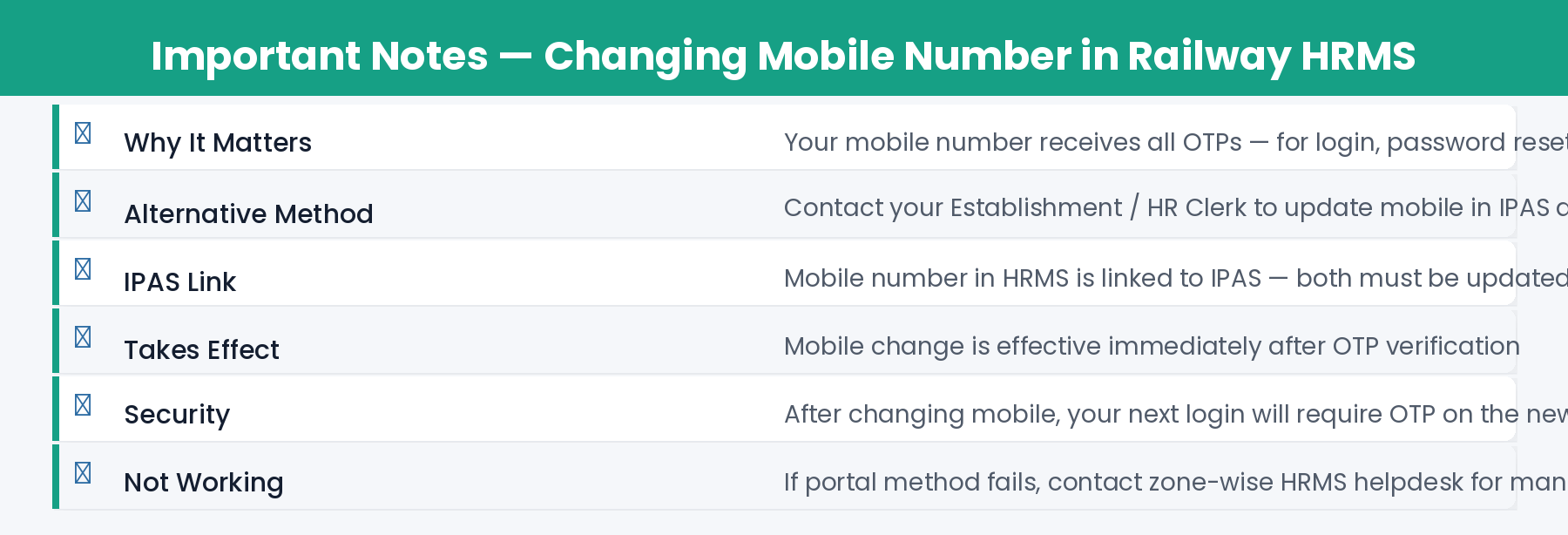
Your mobile number in HRMS is linked to the IPAS (Integrated Payroll and Accounting System) — the railway’s core HR and payroll database. Changes made in IPAS automatically sync to HRMS. This is why your Pay Bill Clerk or Personnel Branch has the authority to update it.
- Visit your Establishment Section or Personnel Branch at your railway division / unit office.
- Ask the Pay Bill Clerk to update your mobile number in the IPAS system.
- Carry your original photo ID (railway ID card or Aadhaar) for verification.
- The clerk will update your number in IPAS. This typically takes 1-2 working days to sync with HRMS.
- Once synced, try the Forgot Password option on HRMS — you should receive the OTP on your new number.
Method 3 — For Retired Employees
If you are a retired railway employee and your mobile number needs to be changed, the process is slightly different:
- Download the Mobile Number Registration Form from the HRMS portal (link available on login page under “Retired Employee Mobile Change”).
- Fill in the form with your new mobile number and other details.
- Submit the form to the office from which you retired — your former railway division or unit.
- The concerned office will update your mobile number in the system.
- Once updated, you can login to HRMS and access retired employee services again.
⚠️ Note: Retired employees cannot change mobile numbers online themselves. The form must be physically submitted to the retirement office.
How Long Does Mobile Number Change Take?
Frequently Asked Questions
Q: I got a new SIM with the same number. Do I need to update HRMS?
No. If your mobile number has not changed — only the SIM card changed — you do not need to update HRMS. The OTP will still come to the same number.
Q: Can I have two mobile numbers registered in HRMS?
No. HRMS supports only one registered mobile number per employee. The primary number is used for all OTP communications.
Q: My old mobile number is with someone else now. Is my account at risk?
Yes, this is a security risk. Immediately contact your Pay Bill Clerk or Personnel Branch to update to your new number. Until then, your account is vulnerable to OTP-based access by anyone with your old number.
Q: Can I update mobile number through the HRMS mobile app?
The Change Mobile No option may be available in the mobile app. However, if you cannot receive OTP on the old number, use Method 2 (IPAS via Pay Bill Clerk) which does not require OTP on old number.