Mizoram — one of India’s smallest and most literate states — has a state government workforce that takes pride in efficient administration. Managing the salary, service records, leave, and HR data for Mizoram government employees requires two complementary digital systems: Manav Sampada eHRMS for service records and HR management, and the DAT portal (dat.mizoram.gov.in) managed by the Directorate of Accounts and Treasuries for salary slip generation and payroll-related services. This guide covers both.
What Is Manav Sampada Mizoram?
Manav Sampada Mizoram is the state’s deployment of NIC’s multi-state eHRMS platform — managing electronic service records, leave, transfers, and HR data for Mizoram government employees as part of the national Digital India initiative.
Mizoram is one of the states in NIC’s (National Informatics Centre’s) Manav Sampada multi-state HRMS deployment. Manav Sampada is deployed across 22+ states in India — Mizoram, Arunachal Pradesh, Assam, Uttar Pradesh, Punjab, and others all use the same platform framework with state-specific configurations.
For salary slips and payroll services, Mizoram government employees use the DAT portal at dat.mizoram.gov.in — managed by the Directorate of Accounts and Treasuries (DAT), Finance Department, Government of Mizoram. The IFMIS (Integrated Financial Management Information System) at ifmis.mizoram.gov.in handles government financial transactions more broadly.
| System | URL | Purpose |
|---|---|---|
| Manav Sampada eHRMS | ehrms.nic.in (Mizoram instance) | Service records, e-Service Book, leave, ACR, transfers |
| DAT Portal | dat.mizoram.gov.in | Salary slip download, payroll services, pension |
| IFMIS Mizoram | ifmis.mizoram.gov.in | Government financial management, budget, expenditure |
| Mizoram State Portal | mizoram.gov.in | General government services and information |
DAT Portal Mizoram — Salary Slip Download
The DAT portal at dat.mizoram.gov.in is the primary gateway for Mizoram government employees to download salary slips, GPF statements, and pension slips — managed by the Directorate of Accounts and Treasuries.
The Directorate of Accounts and Treasuries (DAT), Finance Department, Government of Mizoram launched the DAT portal to give state government employees digital access to their salary statements. Before this portal, employees had to visit the DRO office personally during office hours to obtain their payslips — a significant inconvenience. The portal makes salary slips accessible 24/7 from anywhere.
How to Download Salary Slip from DAT Portal Mizoram:
- Open Google Chrome and navigate to dat.mizoram.gov.in
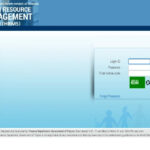
- Enter your Username and Password in the login fields, then click the login button
- The Employee/Payee/Pension self-service web application opens on the new page
- Choose the correct option — Employee for active employees or Pensioner for retirees
- Navigate to the Salary Statements section
- Select the Pay Period — the system allows downloading salary slips for the last three or six months
- Download the salary slip to your device in PDF format
Registration on DAT Portal: Mizoram state government employees must register with their mobile number to create login credentials for the DAT portal. After registering with your mobile number, create a username and password for future logins.
Mizoram Salary Slip — What It Contains
The Mizoram government employee salary slip is a comprehensive earnings document covering personal identifiers, all allowances, all deductions, and the net amount credited to the bank account.
The Mizoram Employee Salary Slip contains:
- Employee Details: Name, Employee Code, Department, Designation, Scale/Grade, Bank Account Number
- Earnings: Basic Pay, Dearness Allowance (DA), House Rent Allowance (HRA), all other applicable allowances
- Deductions: Provident Fund contribution, Professional Tax, income tax (TDS), loan installment recoveries, and other applicable deductions
- Summary: Total Gross Pay, Total Deductions, Net Pay
Manav Sampada Mizoram — eHRMS Services
The Manav Sampada eHRMS platform for Mizoram provides digital e-Service Books, leave management, transfer tracking, ACR submission, and Annual Property Return filing for state government employees.
e-Service Book
The e-Service Book on Manav Sampada Mizoram is the official digital service record — maintaining a complete career history for every Mizoram government employee from appointment to retirement.
The Manav Sampada Application enables Mizoram employees to view their e-Service Book containing: employee personal information, education qualifications, family details, training records, joining and appointment data, complete leave history, official tour records, and salary service history. The e-Service Book is the authoritative service record used for promotions, DPC proceedings, pension calculations, and all service verifications.
Leave Management
Mizoram government employees apply for all leave categories through the Manav Sampada eHRMS — with digital submission routing, approval tracking, and automatic balance updates.
- Login to the Manav Sampada eHRMS portal for Mizoram
- Navigate to Leave Module → Apply for Leave
- Select leave type — Earned Leave, Casual Leave, Medical Leave, etc.
- Enter dates and reason
- Submit — routed to the reporting officer for digital approval
- Track status in real time; balance updates after sanction
Annual Property Return (APR)
Mandatory APR filing for Mizoram government employees is processed digitally through Manav Sampada — eliminating paper property declarations and ensuring timely compliance tracking.
All Mizoram government employees must submit their Annual Property Return through the eHRMS portal. The system tracks filing status and sends reminders for employees who have not submitted within the deadline. Late filing can impact promotions and draw disciplinary action.
Transfer and Posting Management
Transfer orders, posting history, and transfer applications for eligible Mizoram government employees are tracked and processed through the Manav Sampada eHRMS portal.
Employees view their complete posting history on the e-Service Book. Transfer requests can be submitted digitally through the portal. Approved transfer orders are available for download directly from the portal.
IFMIS Mizoram — For Department-Level Financial Functions
IFMIS (Integrated Financial Management Information System) at ifmis.mizoram.gov.in handles government-wide financial management in Mizoram — complementing the DAT portal’s employee-focused salary services.
The IFMIS Mizoram portal at ifmis.mizoram.gov.in is used by Finance Department officials and DDOs for budget management, expenditure tracking, salary bill processing, and financial reporting. Department login is available on the IFMIS portal for authorized finance officers. Individual employees typically use the DAT portal (dat.mizoram.gov.in) for their personal salary and payroll services.
Common Problems and Solutions
| Problem | Cause | Solution |
|---|---|---|
| Cannot access DAT portal | Mobile not registered | Register mobile number on the portal; contact your DDO if registration fails |
| Salary slip only shows last 3 months | Portal limitation | Download regularly; for older slips contact DAT office directly |
| Manav Sampada HRMS Code not known | New employee or credentials not received | Contact your department’s nodal officer or DDO for HRMS credentials |
| e-Service Book entry incorrect | Data entry error | Contact Establishment Officer with documentary proof for correction |
Frequently Asked Questions
Q: What portals do Mizoram government employees use for HR and salary?
Two portals: (1) Manav Sampada eHRMS (ehrms.nic.in — Mizoram instance) for service records, leave, ACR, transfers; (2) DAT portal (dat.mizoram.gov.in) for salary slip download and payroll services. The IFMIS at ifmis.mizoram.gov.in is for department-level financial functions.
Q: How do I download my Mizoram government salary slip?
Visit dat.mizoram.gov.in → Login with username and password → Select Employee option → Navigate to Salary Statements → Select pay period (last 3 or 6 months available) → Download PDF.
Q: How do I register on the DAT portal Mizoram?
Register with your mobile number on the portal to create login credentials. After mobile number verification, set your username and password for future logins. If registration is unsuccessful, contact your DDO or the Directorate of Accounts and Treasuries, Mizoram.
Q: Is Manav Sampada Mizoram the same as Manav Sampada UP?
They share the same NIC-developed platform framework but are separate instances. Manav Sampada is deployed in 22+ states — each state has its own instance with state-specific configurations and data. Mizoram employees access the Mizoram-specific instance; they cannot use the UP or Arunachal Pradesh instance.
Q: Can pensioners access the DAT portal Mizoram?
Yes. Pensioners select the “Pensioner” option on the DAT portal after login to access monthly pension details, pension slips, and post-retirement financial information.