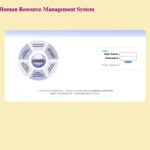
Bihar has one of the largest state government workforces in India — spanning teachers, health workers, police personnel, administrative officers, engineers, and rural development staff serving across 38 districts. Managing the HR requirements of this enormous and geographically distributed workforce is the job of HRMS Bihar — the official government employee portal at hrms.bihar.gov.in. This complete guide tells you everything about the portal in 2026.
What Is HRMS Bihar?
HRMS Bihar is the official Human Resource Management System of the Government of Bihar — a centralized digital platform launched in 2022 under CM Nitish Kumar to manage salary, leave, service records, and HR services for all Bihar state government employees.
HRMS Bihar is the official digital HR portal of the Government of Bihar, accessible at hrms.bihar.gov.in. It was launched in 2022 under Chief Minister Nitish Kumar as part of Bihar’s digital governance initiative. The system centralizes payroll, leave management, service book maintenance, GPF tracking, pension management, and employee grievance handling for all categories of state government employees in one integrated platform.
The portal has since been upgraded to HRMS 2.0 — a significantly improved version with faster load times, mobile-responsive design, enhanced salary slip generation, better leave management with real-time approval tracking, and biometric two-factor authentication for sensitive operations like salary revisions.
HRMS Bihar — Quick Reference Table
This table provides every Bihar government employee with the essential portal facts, login details, helpdesk contacts, and key system information for ready reference.
|
Feature |
Details |
|
Official Portal URL |
hrms.bihar.gov.in |
|
Managed By |
Government of Bihar |
|
Launched |
2022 (under CM Nitish Kumar) |
|
Current Version |
HRMS 2.0 |
|
Login Method |
Username (Employee ID) + Password + Captcha → OTP |
|
Language Support |
Hindi and English |
|
Password Recovery |
Forgot Password → registered mobile OTP |
|
Helpdesk Phone |
0612-2217601 (8 AM – 10 PM) |
|
Helpdesk Email |
hrmshelp-bih@nic.in |
|
District Support |
48 district NIC centres — for hardware/software issues |
|
Portal Availability |
24/7 from any internet-enabled device |
|
Retired Employees |
Can register using PPO number — service history available 10 years |
HRMS Bihar 2.0 — What’s Improved
HRMS 2.0 Bihar is the upgraded version of the original portal — bringing faster performance, mobile access, improved salary slip downloads, and enhanced security to Bihar government employees.
Bihar government rolled out HRMS 2.0 to address performance issues and add missing features from the original version. Key improvements include faster login and dashboard load times, mobile-responsive design that works cleanly on smartphones without needing desktop mode, improved salary slip generation with faster and more reliable PDF downloads, enhanced service book access with better navigation of complete service history, better leave management with real-time approval status tracking, and biometric two-factor authentication (2FA) for sensitive operations like salary revision — added as an extra security layer through the HRMS app.
Who Can Use HRMS Bihar?
HRMS Bihar serves the complete spectrum of Bihar state government employees — from teachers and health workers to officers and pensioners — with role-based access for different service categories.
- Regular Bihar State Government Employees — Administrative officers, clerks, engineers, health workers, police personnel, and all permanent state government employees across all 38 districts
- Teachers (Niyamit and Niyojit) — Bihar Education Department teachers including regular (Niyamit) and contracted (Niyojit Shikshak) teachers — with special HRMS IDs specific to their category
- Pensioners and Retired Employees — Can register using their PPO (Pension Payment Order) number to access service history and pension-related information
- HR Administrators and DDOs — Departmental HR staff and Drawing and Disbursing Officers with administrative access
How to Login to HRMS Bihar — Step by Step
The HRMS Bihar login uses Employee ID, password, and OTP verification — a three-step secure process that keeps service data protected while allowing 24/7 access.
- Open Google Chrome on your device and navigate to hrms.bihar.gov.in
- The HRMS Bihar portal homepage opens — it is available in both Hindi and English (use the language toggle at the top)
- Enter your Username — this is your Employee ID provided by your department when you joined
- Enter your Password in the password field
- Enter the Captcha code shown on the screen accurately
- Click the Login button
- An OTP is sent to your registered mobile number — enter it to complete verification
- Your personalized HRMS Bihar dashboard opens showing leave balance, salary records, profile summary, and service book access
Note for teachers: Your Teacher HRMS ID may be different from your Niyojit Shikshak ID in some cases. If you are unsure which ID to use for login, check with your Block Education Officer (BEO) or your school’s DDO — they have the correct HRMS Employee Code for your account.
How to Register on HRMS Bihar (New and Existing Employees)
New Bihar government employees must complete a one-time registration using credentials provided during the joining process before gaining full access to HRMS portal services.
- Visit hrms.bihar.gov.in
- Click the “Register” or “New Registration” link on the homepage
- Enter your Employee ID and other identification details as prompted
- Verify your identity through your registered mobile number via OTP
- Create a strong password and confirm it
- Your HRMS Bihar account is now active — login to complete profile verification
For retired employees: Register using your PPO (Pension Payment Order) number to access post-retirement services including service history (available for up to 10 years) and pension-related information.
How to Download Salary Slip from HRMS Bihar
The salary slip download is the most-used feature on HRMS Bihar — available for any past month in PDF format within seconds of login.
- Login to hrms.bihar.gov.in with your Employee ID and password
- After OTP verification, your dashboard opens
- Navigate to the Dashboard → Payroll → Salary Slip section
- Select the Financial Year and Month for which you want the payslip
- Click View to see the salary slip on screen
- Click Download to save as PDF to your device
Pro Tip: Use Chrome 80+ browser in “Desktop Site” mode for the best experience on mobile devices. Turn off ad-blockers during OTP verification to avoid any pop-up blocking issues.
All Services on HRMS Bihar
HRMS Bihar covers the complete employee service lifecycle — from profile management and payroll to leave, GPF, service book, pension, and grievance redressal — all accessible from one dashboard.
Employee Profile Management
The profile module maintains the complete personal and professional record of every Bihar government employee — from appointment details to current posting and contact information.
Employees view and update personal information, contact details, residential address, emergency contacts, and educational qualifications. Professional details including designation, department, grade pay, posting history, and reporting structure are visible. Updates to sensitive fields require DDO or HR department verification before changes are applied.
Payroll and Salary Management
The payroll module automates salary computation for Bihar government employees with transparent payslips, tax deductions, and financial statements accessible for any past period.
Monthly salaries are calculated automatically incorporating basic pay, DA, HRA, all applicable allowances, and statutory deductions. Payslips for current and past months are available for download in PDF. Increment tracking is visible — employees verify their annual increments have been processed correctly. Tax deduction statements and Form 16 equivalents are accessible for ITR filing.
Leave Management (EL, CL, Medical Leave)
The leave module enables Bihar government employees to apply for and track all categories of leave online — with algorithmic routing for leaves exceeding five days requiring DDO review.
- Login to hrms.bihar.gov.in
- Navigate to the Leave section on the dashboard
- Click Apply for Leave
- Select leave type — Earned Leave (EL), Casual Leave (CL), Medical Leave, or other applicable category
- Enter the From Date, To Date, and leave reason
- Submit — the application is digitally routed to your reporting officer
- Track real-time approval status — SMS alerts are sent for submission, approval, and rejection
- Leave balance updates automatically after approval
Note: Leaves exceeding 5 days are routed algorithmically to DDO review level. SMS alerts are sent for every status change — submission, approval, and rejection.
GPF Statement Access
Bihar government employees (pre-2005 joiners under GPF scheme) access their General Provident Fund statement directly through HRMS Bihar — checking balance, contributions, and advance history.
GPF balance, contribution history, interest credited, and outstanding advances are visible in the GPF module. Pre-2005 Bihar government employees (under the GPF scheme) can track their provident fund through this module. Withdrawal and advance applications can be submitted digitally for DDO approval.
e-Service Book
The digital service book on HRMS Bihar replaces the traditional manual service register — maintaining a complete, tamper-proof career record for every state government employee.
The e-Service Book records every service transaction: appointment order details, all postings and transfers with dates, grade changes, increments, promotions, training attended, disciplinary proceedings (if any), leave records, and retirement details. It is the official repository used for DPC (Departmental Promotion Committee) proceedings, pension calculations, and all service verifications. HRMS Bihar also supports verification and correction of service book entries through the establishment section.
Annual Increment Tracking
The increment module on HRMS Bihar allows employees to verify that their annual increments have been correctly processed — providing transparency in one of the most important annual salary events.
Employees view their increment history — date of each increment, revised basic pay, and the authority that sanctioned the increment. Pending increment cases can be flagged through the grievance module for follow-up. This feature is particularly valuable for teachers and other employees whose increments are sometimes delayed due to documentation issues.
Pension Management
Retiring Bihar government employees use the HRMS portal to prepare pension papers online — and retirees track their pension details, PPO number, and post-retirement benefits through the same platform.
Superannuating employees prepare their own pension papers online through the HRMS system — reducing dependency on establishment offices for routine pension preparation. Pension calculation, gratuity tracking, and retirement benefit details are visible. Retirees access pension bank details, nominee information, and pension slips. The portal stores service history for up to 10 years for retired employees.
Grievance Redressal
The grievance module on HRMS Bihar provides employees a structured, tracked channel for raising HR concerns — from salary discrepancies to service book errors — with documented resolution timelines.
Employees raise complaints about salary errors, service book discrepancies, leave approval delays, increment processing issues, and other HR concerns through the portal. Each grievance receives a reference number for tracking. The system routes complaints to the appropriate authority — DDO, district NIC centre, or state helpdesk depending on the nature of the issue.
Documents and Certificates
Bihar HRMS allows employees to upload, store, and retrieve official documents — ID proofs, appointment orders, qualification certificates, and other service documents — through a secure digital repository.
All official documents — ID proof, appointment letter, qualification certificates — are uploaded and stored securely. Version control is maintained for updated records. Documents are accessible when needed for promotions, transfers, loan applications, and official purposes without relying on physical file rooms.
HRMS Bihar Teacher Portal — Special Guide
Bihar teachers — both Niyamit (regular) and Niyojit Shikshak (contracted) — access HRMS Bihar for salary slips, service book, leave, and GPF, but must use the correct HRMS ID which may differ from other system IDs.
Bihar teachers have special requirements for the HRMS portal:
- HRMS Employee ID vs Other IDs: Your Teacher HRMS ID is different from your Niyojit Shikshak ID in many cases. Always use the HRMS-specific Employee Code — not your SSA teacher code or Niyojit ID — to login to hrms.bihar.gov.in
- How to find your Teacher HRMS ID: Contact your Block Education Officer (BEO) or your school’s DDO — they have the correct HRMS Employee Code for your category
- Services available for teachers: Monthly salary slip download, service book access (checking appointment date, promotions, transfers, grade history), leave management (EL, CL, Medical Leave online), GPF statement (for pre-2005 joiners), annual increment tracking and verification
HRMS Bihar Helpdesk — Contact Information
Bihar government provides dedicated helpdesk support for HRMS portal issues — available through phone, email, and 48 district-level NIC centres for hardware and software problems.
|
Support Channel |
Contact |
Availability |
|
Helpdesk Phone |
0612-2217601 |
8 AM – 10 PM daily |
|
Helpdesk Email |
hrmshelp-bih@nic.in |
Working hours |
|
District NIC Centres |
48 district centres across Bihar |
For hardware/software issues |
For software access issues and login problems, use the phone helpdesk or email. For hardware-related issues or in-person assistance, visit your district NIC centre.
Common Problems and Solutions
This troubleshooting table covers the most frequently reported HRMS Bihar issues with practical solutions employees can apply without waiting for support.
|
Problem |
Cause |
Solution |
|
Login rejected — wrong credentials |
Incorrect Employee ID or password |
Verify Employee ID with your DDO; use Forgot Password for password reset |
|
OTP not received |
Mobile not registered or network issue |
Contact DDO to verify registered mobile; wait 2 minutes and retry |
|
Salary slip not available for current month |
Payroll processing not yet complete |
Wait 3-5 working days after month end; contact helpdesk if delay exceeds a week |
|
Teacher cannot identify correct HRMS ID |
Different ID systems exist in Bihar education |
Contact BEO or school DDO — they have the correct HRMS Employee Code |
|
Service book showing incorrect data |
Data entry error during system setup |
File correction request through grievance module; contact establishment section |
|
Leave balance showing wrong amount |
Data not refreshed after recent approval |
Wait 24 hours; contact HR if discrepancy persists after that |
|
Portal not loading on mobile |
Browser issue |
Use Chrome in Desktop Site mode on mobile for best compatibility |
|
Retired employee cannot access |
Registration not done with PPO |
Register on portal using PPO number to access post-retirement services |
Frequently Asked Questions — HRMS Bihar
Answers to the most common questions from Bihar government employees about the HRMS portal, login, salary slips, teacher access, helpdesk, and all services.
Q: What is HRMS Bihar and who launched it? HRMS Bihar is the official Human Resource Management System of the Government of Bihar — launched in 2022 by Chief Minister Nitish Kumar as part of Bihar’s digital governance initiative. It centralizes salary, leave, service book, GPF, and pension management for all Bihar state government employees.
Q: What is the official URL for HRMS Bihar? The official portal is hrms.bihar.gov.in. Always type this URL directly in your browser. The helpdesk phone is 0612-2217601 (8 AM–10 PM) and email is hrmshelp-bih@nic.in.
Q: What is HRMS 2.0 Bihar? HRMS 2.0 is the upgraded version of the Bihar HRMS portal — bringing faster performance, mobile-responsive design, improved PDF salary slip generation, better leave management, and biometric 2FA for salary revisions. It addresses performance issues from the original version.
Q: How do I download my salary slip from HRMS Bihar? Login to hrms.bihar.gov.in → Dashboard → Payroll → Salary Slip → Select Financial Year and Month → Click View → Download as PDF. Use Chrome 80+ browser in Desktop Site mode on mobile for best results.
Q: What is the Bihar HRMS Teacher HRMS ID and how do I find it? Your Teacher HRMS ID is the specific Employee Code registered in the HRMS system — which may differ from your Niyojit Shikshak ID or SSA teacher code. Contact your Block Education Officer (BEO) or your school’s DDO to get your correct HRMS Employee Code for login.
Q: What is the Bihar HRMS helpdesk number? The HRMS Bihar helpdesk is reachable at 0612-2217601 from 8 AM to 10 PM daily. The email helpdesk is at hrmshelp-bih@nic.in. For district-level hardware or software issues, visit your district NIC centre — there are 48 across Bihar.
Q: Can retired Bihar government employees access HRMS? Yes. Retired employees can register on the portal using their PPO (Pension Payment Order) number to access service history (available for up to 10 years post-retirement) and pension-related information.
Q: Does HRMS Bihar support Hindi language? Yes. The HRMS Bihar portal supports the Hindi language. Click the language toggle on the top menu to switch between Hindi and English. This makes the portal accessible to the large number of state employees more comfortable working in Hindi.