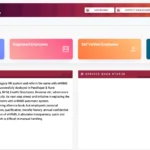
Gujarat one of India’s most industrially developed and administratively progressive states — employs hundreds of thousands of government workers across education, health, revenue, police, panchayat, and dozens of other departments. Managing HR records, salary, leave, and transfers for this massive workforce requires a robust digital system. That system is eHRMS Gujarat — accessible at e-hrms.gujarat.gov.in — designed and hosted by NIC (National Informatics Centre), Government of Gujarat.
What Is HRMS Gujarat (eHRMS Gujarat)?
eHRMS Gujarat is the official Electronic Human Resource Management System of the Government of Gujarat — a centralized digital platform for managing employee records, leave, transfers, salary slips, biometric attendance, and all HR functions for state government employees.
eHRMS Gujarat is the official HR management portal of the Government of Gujarat at e-hrms.gujarat.gov.in. The site is designed and maintained by NIC State Centre, Gujarat. It serves as the central database for all Gujarat government employee records — covering personal details, service history, leave, payroll, transfers, and biometric attendance integration. Gujarat also operates the Karmyogi Portal at karmyogi.gujarat.gov.in — a companion HR platform providing additional employee services. For salary slip downloads, the Gujarat Finance Department’s IFMS portal at financedepartment.gujarat.gov.in is the primary gateway.
| Feature | Details |
|---|---|
| eHRMS Portal URL | e-hrms.gujarat.gov.in |
| Karmyogi Portal | karmyogi.gujarat.gov.in |
| IFMS Salary Portal | financedepartment.gujarat.gov.in → IFMS link |
| Designed & Hosted By | NIC State Centre, Gujarat |
| eHRMS Login Credentials | Department + User ID + Password + Captcha |
| Password Recovery | Forgot Password → Office/Employee + State + Department + User ID/Contact |
| Mobile App | Available — eHRMS Gujarat mobile application |
| Departments Covered | Education, Police, Health, Revenue, Panchayat, Finance, and all state departments |
| Availability | 24/7 |
HRMS Gujarat — Two Portals You Need to Know
Gujarat government employees interact with two distinct portals for HR and salary services — understanding which portal serves which function saves significant time and avoids login confusion.
| Portal | URL | Primary Use |
|---|---|---|
| eHRMS Gujarat | e-hrms.gujarat.gov.in | Service records, leave management, transfers, attendance, profile management |
| Karmyogi Portal | karmyogi.gujarat.gov.in | Additional employee HR services, training, performance-linked services |
| IFMS (Finance Dept.) | financedepartment.gujarat.gov.in | Salary slip download, payroll data, financial reports |
How to Login to eHRMS Gujarat
The eHRMS Gujarat login uses four credentials — Department selection, User ID, Password, and Captcha — ensuring only authenticated Gujarat government employees can access sensitive HR records.
- Open Google Chrome and navigate to e-hrms.gujarat.gov.in
- Click the “Login” button at the top right of the homepage
- On the login page, fill in all four required fields:
- Department — Select your department from the dropdown (Education, Health, Revenue, Police, etc.)
- User ID — Your employee User ID assigned by your department or DDO
- Password — Your login password
- Captcha Code — Enter the code shown on screen exactly as displayed
- Click the “Login” button
- Your eHRMS Gujarat dashboard opens — with access to service records, leave application, salary slip, attendance, and transfer status
For new employees: Self-registration is required before first login. Visit the registration section on the portal and complete the process. If you face any issues with registration or login, contact your department’s HR representative or DDO immediately for immediate assistance.
How to Reset Your eHRMS Gujarat Password
Password recovery on eHRMS Gujarat uses a multi-field verification form — requiring Office/Employee type, State, Department, and User ID or registered contact number — available directly from the login page.
- Go to e-hrms.gujarat.gov.in
- Click the “Forgot Password” button near the Login button
- On the recovery page, enter:
- Office / Employee — select the appropriate option
- State — Gujarat
- Department — your department
- User ID or registered Contact Number
- Captcha Text
- Click Search
- Follow the on-screen steps to verify identity and reset your password
- If changes still require DDO approval (especially profile-linked password resets), contact your department DDO
How to Download Salary Slip from IFMS Gujarat
Gujarat government employees download monthly salary slips through the IFMS portal linked from the Finance Department website — available for any selected month and year in PDF format.
- Open Chrome and go to financedepartment.gujarat.gov.in
- On the left sidebar, look for the IFMS portal link and click it — the IFMS Gujarat portal loads
- Login to IFMS with your employee credentials (User ID + Password)
- After login, navigate to the Pay Slip or salary-related reports section
- Select the Month and Year for which you need the salary slip
- Click Submit to generate the pay slip
- Click Download to save as PDF or Print for a physical copy
The IFMS portal also provides access to annual salary statements, leave information, attendance reports, and other pay-related details beyond the basic monthly salary slip.
Gujarat Salary Slip — What It Contains
The eHRMS / IFMS Gujarat salary slip is a comprehensive earnings document — covering all personal identifiers, every allowance, every deduction, and the final net pay for the month.
- Employee Details: Name, Employee Code, Department, Designation, GPF/NPS/PRAN Number, PAN, Bank Account details, Pay Scale/Grade
- Earnings: Basic Pay, Dearness Allowance (DA), House Rent Allowance (HRA), City Compensatory Allowance, Transport Allowance, all other applicable state-specific allowances
- Deductions: GPF/NPS contribution, Group Insurance Scheme (GIS), Professional Tax, Income Tax (TDS), loan installment recoveries, and other applicable deductions
- Summary: Gross Pay, Total Deductions, Net Pay credited to bank account
All Features of eHRMS Gujarat
eHRMS Gujarat is a full-lifecycle HR management system — covering not just salary slips but service records, leave, attendance, promotions, transfers, Form 16, and mobile access for all Gujarat government employees.
Pay Slips and Form 16
Monthly salary slips and annual Form 16 for income tax filing are both accessible through the eHRMS Gujarat and IFMS platforms — eliminating the need to visit accounts offices for routine financial documents.
Employees download monthly salary slips and annual pay slips for any period. Form 16 for income tax return filing is accessible directly from the portal — a feature that saves considerable time especially during tax season. Both monthly and annual salary data are stored and accessible for historical reference.
Leave Management
Leave application, approval tracking, balance monitoring, and leave history are managed entirely online through eHRMS Gujarat — with real-time status visible to both employee and reporting authority.
Gujarat government employees apply for Casual Leave, Earned Leave, Medical Leave, and other categories through the portal. The application is digitally forwarded to the reporting officer. Employees see real-time status — Applied, Under Review, Sanctioned, or Rejected. Leave balance for each category is visible before applying.
Attendance with Biometric Integration
eHRMS Gujarat integrates with biometric attendance systems in several departments — enabling automatic attendance recording that feeds directly into payroll and leave calculations.
For departments with biometric attendance, the system integrates biometric punch data with the eHRMS attendance module. Employees can view or mark attendance through the portal. Biometric integration reduces proxy attendance and provides accurate data for payroll processing.
Promotions and Transfer Tracking
Employees track their promotion orders and transfer history in real time through eHRMS Gujarat — all promotion and transfer events are recorded in the digital service book as they occur.
All promotion orders, transfer orders, and posting changes are recorded in the eHRMS service record automatically. Employees view the live status of any pending promotion or transfer request. Transfer history with dates and order numbers is part of the e-Service Book.
eHRMS Gujarat Mobile App
The eHRMS Gujarat mobile application provides on-the-go access to payslips, leave services, and employee records — giving Gujarat government employees HR self-service from their smartphones.
Gujarat has launched a mobile version of the eHRMS platform. The app provides easy access to the full employee service suite — payslips can be accessed via mobile, leave can be applied from anywhere, and service record information is viewable on the go. Employees across departments — education, police, health, revenue, panchayat — use the mobile app for daily HR self-service.
Common Problems and Solutions
| Problem | Cause | Solution |
|---|---|---|
| Login fails — wrong department | Incorrect department selected | Always select the exact department from the dropdown before entering User ID |
| Profile changes not saving | DDO approval pending | Contact your DDO or department HR for approval of profile update |
| Salary slip not on IFMS | Payroll not yet processed | Wait for monthly payroll cycle — check after 5th of following month; contact DDO if delayed |
| Forgot password — contact number changed | Old number no longer active | Contact your department’s HR or DDO to update mobile number before attempting password reset |
| Portal not loading | Browser cache or connectivity | Clear browser cache; use Chrome; check internet connection; try off-peak hours |
Frequently Asked Questions — HRMS Gujarat
❓ What is HRMS Gujarat and what is the official URL?
HRMS Gujarat (eHRMS Gujarat) is the official Electronic Human Resource Management System of the Government of Gujarat at e-hrms.gujarat.gov.in. It is designed and hosted by NIC State Centre, Gujarat. A companion Karmyogi portal also exists at karmyogi.gujarat.gov.in.
❓ What credentials are needed to login to eHRMS Gujarat?
Four credentials: Department (dropdown), User ID, Password, and Captcha code. All credentials are assigned by your department or DDO. Self-registration is available for new employees on the portal.
❓ How do I download my salary slip from HRMS Gujarat?
Salary slips in Gujarat are accessed via the IFMS portal linked from financedepartment.gujarat.gov.in. Login to IFMS → navigate to Pay Slip section → select Month and Year → click Submit → Download PDF.
❓ What is the Karmyogi Portal Gujarat?
The Karmyogi Portal at karmyogi.gujarat.gov.in is a companion HR platform to eHRMS Gujarat. It provides additional employee services beyond the core eHRMS — including training-related services and performance-linked HR features. Some Gujarat government employees may be directed to this portal for specific HR functions by their department.
❓ Is there a mobile app for eHRMS Gujarat?
Yes. Gujarat has launched a mobile application for the eHRMS platform. The app provides access to payslips, leave management, and employee records on smartphones — giving Gujarat government employees HR self-service on the go.
❓ What departments use eHRMS Gujarat?
eHRMS Gujarat covers all state government departments including Education, Police, Health, Revenue, Panchayat, Finance, Social Justice, and others. Employees across all these departments access their service records, leave, and salary data through the same portal.
Related Articles
- HRMS Madhya Pradesh — eHRMS MP & IFMS MP Treasury Guide 2026
- HRMS Maharashtra — Sevaarth Mahakosh Complete Guide 2026
- West & Central India HRMS Portals — Complete List 2026
⚠️ Disclaimer: This article is for informational purposes only. HRMSPedia is not affiliated with the Government of Gujarat or NIC. All information is based on publicly available data as of April 2026. Visit e-hrms.gujarat.gov.in for official access.