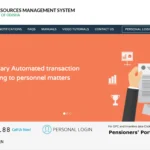
Assam is one of the largest states in Northeast India by workforce — with thousands of government school teachers alone serving across 35 districts from Lower Primary to Senior Secondary level. Managing transfers, service records, leave, and salary for this large educator workforce requires a dedicated digital system. That system is HRMS Assam — with its flagship Teacher Transfer Management System (TTMS) at hrmsassam.in. This complete guide covers everything Assam government teachers and employees need to know about the portal in 2026.
What Is HRMS Assam?
HRMS Assam is the official Human Resource Management System of the Government of Assam — a centralized digital platform managing service records, teacher transfers, leave, salary slips, and e-Service Books for all Assam state government employees.
HRMS Assam is the official digital HR management platform of the Government of Assam, accessible at hrmsassam.in. Within HRMS Assam, the most prominent and widely used module is the Teacher Transfer Management System (TTMS) — launched on 22 December 2021 by the Department of Education, Government of Assam. TTMS brought Assam’s teacher transfer process entirely online, replacing the previous paper-based, corruption-prone manual system.
HRMS Assam also operates as a broader state HRMS integrating with FinAssam (Kritagyata) — the Assam government’s financial management system — for salary disbursement and pension processing. For some departments, Assam also uses the Manav Sampada / eHRMS framework (ehrms.nic.in/Home/Index/AS) — the NIC-powered multi-state HRMS platform.
Important Note for mobile users: The hrmsassam.in portal is not mobile-compatible. Always use a desktop computer or laptop browser. On mobile devices, enable “Desktop Site” mode in your browser before accessing the portal — otherwise, the interface will not display correctly.
About HRMS Assam — Quick Reference Table
This table gives every Assam government teacher and employee all critical portal details — URLs, login method, launch date, department, and key system facts — in one ready-reference place.
| Feature | Details |
|---|---|
| Official Portal URL | hrmsassam.in |
| TTMS Module Name | Teacher Transfer Management System (TTMS) |
| Department | Department of Education, Government of Assam |
| Launched | 22 December 2021 |
| Teacher Coverage | Lower Primary (LP) to Senior Secondary (SS) — Govt./Provincialized schools |
| Login Method | Username + Password (OTP 2FA for some modules from late 2025) |
| Registration | Self-registration — Create Account with Name, Email, Gender, DOB, Mobile, Password |
| Financial Integration | FinAssam (Kritagyata) — for salary and pension |
| Manav Sampada Assam | ehrms.nic.in/Home/Index/AS — for select departments |
| Mobile Compatibility | NOT mobile-compatible — use Desktop Site mode on mobile browsers |
| Service Profile Sections | 11 sections (teacher profile) / 12 sections (e-Service Book) |
| Portal Availability | 24/7 |
Understanding HRMS Assam — Two Layers
HRMS Assam operates on two connected layers — the TTMS teacher portal at hrmsassam.in and the broader eHRMS/Manav Sampada for other state departments — understanding which layer serves your role avoids confusion.
| Layer | Platform | URL | Who Uses It |
|---|---|---|---|
| TTMS / HRMS Assam | State-specific teacher portal | hrmsassam.in | All Govt./Provincialized school teachers LP to SS |
| Manav Sampada Assam | NIC/MeitY eHRMS framework | ehrms.nic.in/Home/Index/AS | Other state govt. departments (Health, PRD, Revenue etc.) |
This guide focuses primarily on hrmsassam.in (TTMS) — the portal used by the largest category of HRMS Assam users: school teachers. For departments using Manav Sampada, refer to the eHRMS Assam guide separately.
Who Can Register on HRMS Assam (TTMS)?
HRMS Assam’s TTMS module is open to all categories of teachers in Government and Provincialized schools across Assam — from Lower Primary to Senior Secondary level — both regular and SSA teachers.
- Lower Primary (LP) School Teachers — SSA Regular and State Pool teachers in Classes 1–5
- Upper Primary (UP) School Teachers — Classes 6–8 in government and provincialized schools
- High School (HS) Teachers — Classes 9–10 in government and provincialized schools
- Higher Secondary (HS) Teachers — Classes 11–12 in Senior Secondary schools
- SSA Contractual Teachers — Including SSA and State Pool contractual teachers for mutual and inter-district transfers
Note: Teachers must register and complete their full service profile before they can apply for any transfer. Profile submission must be done within the stipulated period announced by the Education Department. Only after the profile is submitted and Approved can a teacher submit transfer preferences.
How to Register on HRMS Assam — Create Account
HRMS Assam TTMS allows teachers to self-register directly on the portal — unlike many other government HRMS systems that require DDO-initiated registration, making the process more accessible for teachers.
- Open Google Chrome on your desktop or laptop and navigate to hrmsassam.in
- On the homepage, scroll down to the Important Links section
- Click on the “Submit Service Profile” link — the official TTMS Portal opens
- Click the “Create Account” button on the registration page
- Fill in the registration form with the following details:
- Name — Your full name as per official records
- Email ID — A valid personal email address you have access to
- Gender — Select Male / Female / Other
- Date of Birth (DOB) — As per official records
- Mobile Number — Your active mobile number for OTP and notifications
- Password — Create a strong password for your account
- Click Submit — your account is created
- Click on the “Submit Service Profile” link again and sign in to the TTMS portal using the Login button with your new credentials
- After login, you will be prompted to update your HRMS Profile — enter your Staff Unique ID as per Siksha Setu portal in the required field
Important: Your Staff Unique ID as per the Siksha Setu portal is required to link your HRMS Assam profile with your official service records. If you do not know your Siksha Setu Staff ID, contact your school principal or the district education office.
How to Login to HRMS Assam
The HRMS Assam login uses a straightforward username and password combination — with OTP-based two-factor authentication added for sensitive modules from late 2025 security upgrades.
Standard Login (Returning Users):
- Open Google Chrome (desktop or laptop) and navigate to hrmsassam.in
- Click the “Login” button on the homepage
- Enter your Username — the username you set during registration (typically your email ID)
- Enter your Password
- Complete any OTP verification if prompted — OTP is sent to your registered mobile number (required for sensitive operations as part of 2025 security upgrades)
- Click Sign In / Login
- Your HRMS Assam dashboard opens — showing your profile status, transfer application links, service profile sections, and salary/leave access
Troubleshooting Login Issues: If login fails or the portal does not display correctly, try these steps in order: (1) Clear your browser cache and cookies, (2) Switch to Google Chrome if you are using another browser, (3) Enable “Desktop Site” mode — the site is NOT mobile-compatible, (4) Contact the HRMS helpdesk via phone or email for persistent issues.
How to Reset Your HRMS Assam Password
Password recovery on HRMS Assam uses email or mobile OTP verification — available directly on the login page without needing to contact the helpdesk for standard cases.
- Go to hrmsassam.in
- Click the “Forgot Password?” link on the login page
- Enter your registered Email ID or Username
- An OTP or reset link is sent to your registered email and/or mobile
- Follow the on-screen instructions to verify and set a new password
- Login with the new password to confirm access is restored
If Forgot Password does not work (for example, if your email address or mobile number has changed), contact the HRMS Assam helpdesk — helpdesk phone and email contact details are available on the hrmsassam.in portal homepage.
Teacher Service Profile — The 11 Sections
The Service Profile is the most critical step for every Assam teacher on HRMS Assam — without completing and getting all 11 sections approved, teachers cannot apply for transfers or access other portal services.
After login, teachers must complete their Service Profile — a comprehensive 11-section form that captures every detail of their academic and professional life. This is the foundation of all HRMS Assam services for teachers. The 11 sections of the Service Profile are:
| # | Section Name | What to Enter |
|---|---|---|
| 1 | School Details | Current school name, UDISE code, school type (Elementary/Secondary), district, block |
| 2 | Personal Details | Full name, DOB, gender, category (General/SC/ST/OBC), Aadhaar, PAN, home language, mother tongue |
| 3 | Academic Qualifications | Highest academic degree, university, year of passing, percentage/grade |
| 4 | Professional & Other Qualifications | B.Ed / D.El.Ed / TET certificate details, professional training completed |
| 5 | Service Details | Date of first appointment, nature of appointment, subject taught, medium of instruction |
| 6 | Salary & Official Account Details | Bank account number, IFSC code, Employee ID, treasury code, GPF/CPS/PRAN number |
| 7 | Service Records | Complete posting history — all schools served, dates, and transfer orders |
| 8 | Awards Received | State, national, or other awards received during service — teacher awards, recognitions |
| 9 | Promotion Details | All promotions received — from Teacher to Senior Teacher, Head Teacher, etc. |
| 10 | Other Details | Additional information as required by the department — special skills, additional duties |
| 11 | Documents Upload | TET certificate, D.El.Ed/B.Ed marksheet, caste certificate (if applicable), passport photo, signature scan |
Profile Status — Pending, Verified, Approved
After submitting the 11-section service profile, teachers track its status through three stages — understanding what each stage means helps teachers know when they can proceed to apply for transfers.
| Status | What It Means | What to Do |
|---|---|---|
| Pending | Profile submitted — under review by department | Wait for the department to validate your submitted data |
| Verified | Department has validated your submitted data | Wait for final approval — profile moves to Accepting Authority |
| Approved | Profile cleared — ready for all actions including transfers | You can now submit transfer preferences and access all portal features |
Important: Teachers can only submit transfer preferences after their profile status reaches “Approved”. If your profile shows incorrect information after Approval, contact the relevant department via HRMS Assam — do not wait, as incorrect data affects transfer eligibility and merit calculation.
Documents Required for HRMS Assam Service Profile
Every teacher must upload specific documents during profile submission — having them ready before starting the upload process saves significant time and prevents incomplete submissions.
| Document | Required For | Size Limit |
|---|---|---|
| TET Mark Sheet cum Certificate | Mandatory (except teachers who joined before 3rd September 2001) | Max 300 KB |
| D.El.Ed / B.Ed Mark Sheet | Mandatory (except teachers who joined before 3rd September 2001) | Max 300 KB |
| Caste Certificate | Mandatory for SC/ST/OBC teachers | Max 300 KB |
| Passport Size Photograph | Mandatory for all teachers | Max 50 KB |
| Scanned Signature | Mandatory for all teachers | Max 50 KB |
Note for pre-2001 joiners: Teachers who joined government service before 3rd September 2001 are exempt from uploading TET mark sheet and D.El.Ed/B.Ed mark sheet. All other documents remain mandatory.
How to Download Salary Slip from HRMS Assam
Salary slips on HRMS Assam are accessible through the portal dashboard after login — available for any past month in PDF format for personal records, loan applications, and tax filing.
- Login to hrmsassam.in with your credentials
- After login, navigate to the Pay Slip section on your dashboard — look for the “Pay Slip” tab or link
- Select the Month and Year for which you want the salary slip from the dropdown
- The system fetches your salary details for that month
- The pay slip shows a comprehensive breakdown — basic salary, DA, HRA, all applicable allowances, all deductions including GPF/NPS contributions, and net pay
- Click Download to save as PDF or Print for a physical copy
Salary slip access on HRMS Assam is integrated with FinAssam (Kritagyata) — the Assam government’s financial management system — which ensures clean salary disbursement, accurate pension processing, and consistent payroll data across the state.
Teacher Transfer on HRMS Assam — Single and Mutual Transfer
The core purpose of the TTMS module is enabling fully online teacher transfers — both single transfers (to preferred locations) and mutual transfers (with a co-applicant) — replacing the old opaque paper-based system.
Why Online Teacher Transfers on HRMS Assam?
The Education Department of Assam launched the TTMS portal to improve the quality of education and maintain a better Pupil Teacher Ratio (PTR) in schools across the state — as mandated under the Assam Elementary and Secondary School Teachers’ (Regulation of Posting and Transfer) Act, 2020. The online system ensures teacher transfers are based on objective data (service history, PTR needs, qualification matching) rather than informal influence, reducing both administrative delays and corruption in the transfer process.
How to Apply for Single Transfer (Preferred Location):
- Login to hrmsassam.in and ensure your profile status is Approved
- Navigate to the Transfer Preference section
- Enter your preferred school locations in order of preference — you can submit multiple location preferences
- Upload any supporting documents if required for your transfer category
- Submit your transfer application
- Track application status through the portal — the Education Department processes transfers based on PTR data, seniority, and other criteria
How to Apply for Mutual Transfer:
A Mutual Transfer involves two teachers agreeing to exchange postings. HRMS Assam handles this entirely online:
- Login to hrmsassam.in and ensure your profile is Approved
- Navigate to the Mutual Transfer Application link on the Important Links section
- Login with your credentials on the Mutual Transfer page
- Enter the details of your co-applicant (the teacher you want to exchange postings with):
- Case 1 — Known Co-applicant: Share your Aadhaar No. / PAN No. / Teacher Code with each other. The co-applicant must give consent for the mutual transfer on the portal.
- Case 2 — Unknown Co-applicant: Apply for Mutual Transfer by providing up to three preferred options for a co-applicant match. The system will find a matching teacher willing to transfer to your location.
- For the matching to be valid, the teacher category, medium of instruction, and subject taught must match between the applicant and co-applicant
- Submit the mutual transfer application
- Both teachers can track the application status on the portal
Withdrawal of Transfer Application: If you need to withdraw a mutual transfer application, both the applicant and co-applicant must call the HRMS helpdesk to confirm the withdrawal. Withdrawal cannot be done self-service through the portal — it requires helpdesk confirmation to prevent one-sided withdrawal that harms the co-applicant.
e-Service Book — 12 Areas of Coverage
HRMS Assam maintains a comprehensive digital e-Service Book for every employee — covering 12 distinct areas of professional and personal records that together constitute the complete career record.
The HRMS Assam e-Service Book covers employees in 12 different areas of operations. Together these 12 sections form the complete digital service record:
- Personal Details — Name, DOB, category, religion, home address, emergency contacts
- Address Details — Current and permanent addresses with district/state details
- Initial Joining Information — Date of first joining, appointment order number, appointing authority
- Education Information — Academic and professional qualifications with certificate details
- Family Information — Spouse, children, dependent family members for service-linked benefits
- Loan Details — All government loans including outstanding balance and installment status
- Service History — Complete posting and transfer history with dates and orders
- Leave Details — Complete leave account — balance, applications, and approval history
- Departmental Proceeding Details — Any disciplinary proceedings, show cause notices, and outcomes
- Nominee Details — Nominees for GPF, GIS, and pension/family pension purposes
- Award Details — Official awards and recognitions received during service
- MIS Reports — Department-wise data records and graphical analytical reports for administration
Additional e-Service Book features include: Employees can view their service books and check the status of any pending action. MIS (Management Information System) reports feature department-wise data records that can be expressed in graphical patterns for administrative analysis and manpower planning.
Leave Management on HRMS Assam
While TTMS is primarily designed for teacher transfers, the broader HRMS Assam system enables Assam government employees to apply for and track all categories of leave online without paper forms.
- Login to hrmsassam.in
- Navigate to the Leave Management section on your dashboard
- View your current leave balance for each leave type — CL, EL, Medical Leave, etc.
- Click Apply for Leave
- Select leave type, enter From Date, To Date, and reason
- Submit — the application is forwarded to your reporting authority digitally
- Track real-time approval status through the portal
- Leave balance updates automatically after sanction
FinAssam Integration — Salary and Pension
HRMS Assam’s integration with FinAssam (Kritagyata) — the Assam government’s financial management system — ensures accurate salary disbursement and transparent pension processing for all state employees.
FinAssam, also known as Kritagyata, is the Assam government’s integrated financial management platform. HRMS Assam works closely with FinAssam to ensure:
- Salary Disbursement — Monthly salaries are processed accurately with no manual calculation errors, and credited on the last working day of the month
- Pension Processing — Retirement and pension processing uses HRMS service data integrated with FinAssam for accurate calculation
- Pay Bill Tracking — Employees can check whether their salary bill has been processed by the treasury
- OTP Security — Backed by OTP-based authentication strengthened through the FinAssam initiative for data security
Manav Sampada Assam — For Other Departments
Alongside TTMS for teachers, Assam has deployed the Manav Sampada eHRMS framework (ehrms.nic.in) for select state government departments including PRD, Civil Supplies, NHM, Health Directorate, and Revenue departments.
Assam is one of the states in NIC’s Manav Sampada multi-state deployment. The Manav Sampada Assam portal is at ehrms.nic.in/Home/Index/AS. Departments currently using Manav Sampada in Assam include:
- Panchayat and Rural Development (PRD) — separately accessible at pnrdhcms.org
- Civil Supplies Corporation
- National Health Mission (NHM)
- Health Directorate
- Revenue Department
Teachers and Education Department employees use hrmsassam.in (TTMS) — not the Manav Sampada portal. The correct portal depends on which department an employee serves under.
Common Problems and Solutions
This troubleshooting table covers the most frequently reported HRMS Assam issues with practical solutions that teachers and employees can apply independently.
| Problem | Cause | Solution |
|---|---|---|
| Portal not displaying correctly on phone | Site is not mobile-compatible | Use Desktop Site mode in Chrome on mobile OR use a desktop/laptop |
| Cannot login after password reset | New password not saved or cached | Clear browser cache → try again; use Chrome |
| Staff Unique ID not accepted during profile setup | Wrong ID entered or Siksha Setu not linked | Contact school principal or district education office for correct Siksha Setu Staff ID |
| Profile stuck at “Pending” for long time | Department verification queue delayed | Contact district education office to follow up on profile verification |
| Document upload failing | File size exceeds limit (300KB for docs, 50KB for photo/signature) | Compress files below the size limit using online tools before uploading |
| Cannot apply for transfer — option greyed out | Profile not yet Approved | Wait for profile status to reach “Approved” — transfers are only possible after full approval |
| Mutual transfer co-applicant consent not showing | Co-applicant has not logged in and given consent | Share your Aadhaar/PAN/Teacher Code with co-applicant; they must actively give consent on the portal |
| Profile shows wrong data after Approval | Incorrect data submitted or data mismatch with records | Contact the relevant department directly via HRMS Assam — self-editing after approval is restricted |
| Salary slip not showing | Payroll not yet processed by FinAssam | Wait for monthly payroll cycle; contact district treasury or DDO if delay persists |
| OTP not received for 2FA login | Mobile number not updated or network issue | Contact HRMS helpdesk to update registered mobile number |
Frequently Asked Questions — HRMS Assam
Answers to the most common questions from Assam government school teachers and employees about the HRMS Assam portal, TTMS, login, transfer applications, service profile, and all services.
Q: What is HRMS Assam and what is TTMS?
HRMS Assam is the official Human Resource Management System of the Government of Assam at hrmsassam.in. Within HRMS Assam, the Teacher Transfer Management System (TTMS) is the module used by all government and provincialized school teachers — from Lower Primary to Senior Secondary level — for managing service profiles, teacher transfers, salary slips, and leave. TTMS was launched on 22 December 2021 by the Department of Education, Government of Assam.
Q: What is the official URL for HRMS Assam?
The official portal is hrmsassam.in. Always type this directly in your browser. Important: The site is NOT mobile-compatible — use a desktop or laptop browser, or enable Desktop Site mode on mobile Chrome.
Q: Who can register on hrmsassam.in?
All teachers of Government and Provincialized schools in Assam — from Lower Primary (LP) to Senior Secondary (SS) level — both regular and SSA/State Pool contractual teachers. For non-teacher state government departments, the Manav Sampada portal (ehrms.nic.in/Home/Index/AS) is used.
Q: How many sections are in the HRMS Assam teacher service profile?
The teacher service profile has 11 sections: School Details, Personal Details, Academic Qualifications, Professional and Other Qualifications, Service Details, Salary and Official Account Details, Service Records, Awards Received, Promotion Details, Other Details, and Documents Upload. Only after completing all 11 sections and getting profile status to “Approved” can a teacher apply for transfers.
Q: What is the difference between Single Transfer and Mutual Transfer on HRMS Assam?
A Single Transfer is an application by one teacher to move to preferred school locations — processed by the department based on PTR data and seniority. A Mutual Transfer involves two teachers agreeing to exchange postings — they share Aadhaar/PAN/Teacher Code for consent, and their category, medium of instruction, and subject taught must match. Both types are applied for entirely online through hrmsassam.in.
Q: How do I withdraw my transfer application on HRMS Assam?
You cannot withdraw through the portal self-service. Both the applicant and co-applicant (for mutual transfers) must call the HRMS helpdesk and confirm the withdrawal request. The helpdesk facilitates the withdrawal after confirmation from both parties.
Q: What is the e-Service Book on HRMS Assam?
The e-Service Book is the digital service record on HRMS Assam covering 12 areas of an employee’s service life — personal details, address, initial joining, education, family information, loan details, service history, leave details, departmental proceedings, nominee details, awards, and MIS reports. It is the official digital equivalent of the traditional paper service book.
Q: Is HRMS Assam the same as Manav Sampada?
No — HRMS Assam (hrmsassam.in / TTMS) is a separate state portal specifically for the Education Department. Manav Sampada (ehrms.nic.in/Home/Index/AS) is a different NIC-powered platform deployed in select Assam departments such as PRD, NHM, Civil Supplies, Health, and Revenue. Teachers use hrmsassam.in, not Manav Sampada.
Q: What documents are required for HRMS Assam profile — size limits?
TET certificate, D.El.Ed/B.Ed mark sheet, and caste certificate (where applicable): maximum 300 KB each. Passport photo and scanned signature: maximum 50 KB each. Teachers who joined before 3rd September 2001 are exempt from uploading TET and D.El.Ed/B.Ed documents.