The Government of Uttarakhand provides HRMS (Human Resource Management System) services to its state government employees through the eHRMS portal at ehrms.uk.gov.in. Built on the NIC Manav Sampada platform — the same technology used in Uttar Pradesh and 22+ other states — this portal covers the full lifecycle of HR management for Uttarakhand state employees.
Through this portal, Uttarakhand government employees can download salary slips, view their e-Service Book, apply for leave, file Annual Property Returns, check GPF/NPS details, and access a complete range of HR services — all online.
How to Login to HRMS Uttarakhand
- Open your browser and go to ehrms.uk.gov.in.
- Click on “eHRMS Login” on the homepage.
- Select your Department from the dropdown.
- Enter your 8-digit Employee ID as User ID.
- Enter your Password. First-time users use the default password.
- Enter the CAPTCHA code.
- Click Login to access your dashboard.
🔑 First Time Login — Default Password
Formula: First 3 letters of your first name (UPPERCASE) + 4-digit birth year
Examples: Suresh born 1982 → SUR1982 | Meena born 1988 → MEE1988 | Arun born 1975 → ARU1975
Change your password immediately after first login.
How to Get Your Employee ID
- Contact your departmental Nodal Officer — most reliable
- Check your appointment letter
- Check your government ID card
- Check a recent salary slip — Employee ID printed there
- Use Aadhaar-based retrieval: Click “Forgot Employee ID?” on login page → enter Aadhaar → OTP authentication → ID displayed
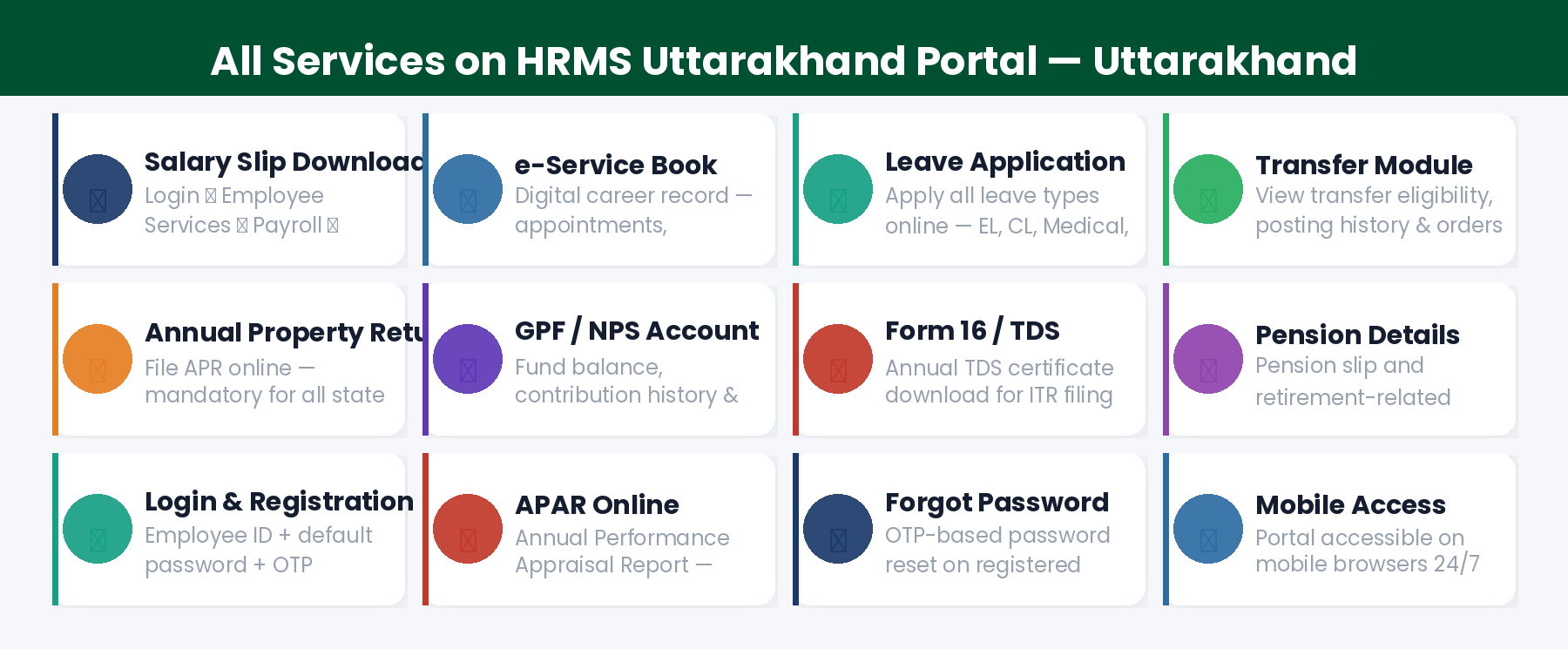
All Services on HRMS Uttarakhand
1. Salary Slip Download
Login → Employee Services → Payroll Management → Salary Slips → Select Financial Year and Month → Download PDF. The salary slip shows Basic Pay, DA, HRA, TA, all allowances, NPS deductions, income tax, and net pay.
2. e-Service Book
Your complete digital career record — appointment, promotions, transfers, increments, qualifications, and family details. Access via My Profile → e-Service Book. Review regularly — errors affect pension and career progression.
3. Leave Application
Login → Employee Services → Self-Service → Apply for Leave → Select leave type, dates, and reason → Upload documents if required → Submit. Track approval status via the leave history section.
4. Transfer & Posting Module
View your complete transfer and posting history. Where online transfers are active, check eligibility by seniority points, view available vacancies, and submit location preferences.
5. Annual Property Return (APR)
Mandatory for all Uttarakhand state government employees. Login → Employee Services → Annual Property Return → Select year → Fill immovable and movable property details → Submit → Download acknowledgement.
6. GPF / NPS Account
Pre-2004 employees: view GPF balance and apply for advances. Post-2004 NPS employees: view PRAN, contribution history (10% employee + 14% government), and NPS corpus. Access under Financial Services.
7. Form 16 / TDS Certificate
Download annual income tax certificate (Form 16) under Financial Services → Tax Documents. Required for Income Tax Return (ITR) filing every year.
8. APAR (Annual Performance Appraisal Report)
The Annual Performance Appraisal process — self-appraisal submission, reporting officer assessment, and reviewing officer countersigning — is managed online through the portal.
9. Pension Details
Pension-related services for employees approaching retirement and retired employees are accessible through the portal.
10. Forgot Password Reset
Go to ehrms.uk.gov.in → Click “Forgot Password” → Enter Employee ID and registered mobile → OTP sent → Enter OTP → Set new password. If mobile is not registered, contact Nodal Officer.
Helpdesk Support for HRMS Uttarakhand
Frequently Asked Questions
Q: What is the official URL for HRMS Uttarakhand?
The official URL is ehrms.uk.gov.in. Bookmark it and always type it directly in your browser.
Q: Is HRMS Uttarakhand the same as Manav Sampada?
Yes. HRMS Uttarakhand (ehrms.uk.gov.in) is built on the NIC Manav Sampada platform — the same technology used in Uttar Pradesh, Bihar, Assam, and other states. The core features are identical, but each state has its own portal URL and department codes.
Q: Who are the main users of HRMS Uttarakhand?
All Uttarakhand state government employees — teachers, doctors, engineers, police, administrative staff, revenue employees, forest staff, and employees of all onboarded departments.
Q: What is the APR deadline for Uttarakhand employees?
The Annual Property Return deadline depends on the specific rules notified by the Uttarakhand government — typically December 31st or as announced for the year. Check the portal for the current year’s deadline.
Q: Can I use HRMS Uttarakhand on mobile?
Yes. The ehrms.uk.gov.in portal works on mobile browsers. The m-STHAPANA app (NIC’s Manav Sampada mobile app) may also work for Uttarakhand employees — check with your Nodal Officer for confirmation.