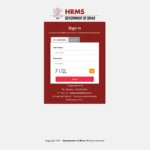
ETV Network is one of India’s most prominent regional media groups — part of the Ramoji Group, one of the largest media conglomerates in the world. With over 5,000 employees working across multiple regional television channels, production units, and offices, managing HR for such a large and diverse media workforce requires a powerful centralized system. That system is ETV HRMS.
What Is ETV HRMS?
ETV HRMS is the official Human Resource Management System of the ETV Network — Ramoji Group’s centralized digital HR platform serving over 5,000 employees across its regional television channels and production operations.
ETV HRMS is the official internal HR management platform for employees of ETV Network and the broader Ramoji Group. It is accessible at etvhrms.com/webpis/Home.php and is identified as a Human Capital Management System. The Ramoji Group also operates a separate portal at etvbharathrms.com/webpis/Home.php specifically for ETV Bharat channel employees.
About ETV Network — Ramoji Group
Understanding ETV Network’s scale as India’s most widely distributed regional TV network explains why a centralized HRMS is essential for managing its large, multi-department media workforce.
| Feature | Details |
| Organization | ETV Network — Ramoji Group |
| Headquarters | Ramoji Film City, Hyderabad, Telangana |
| Founded By | Ramoji Rao |
| Core Business | Regional television channels, film production, media |
| Primary Language | Telugu (AP, Telangana) + Hindi and other regional languages |
| Staff Strength | 5,000+ employees across channels and departments |
| Official HRMS URL | etvhrms.com/webpis/Home.php |
| ETV Bharat HRMS URL | etvbharathrms.com/webpis/Home.php |
| Password Reset Method | Employee code + registered mobile → OTP reset |
| Self Registration | Not available — HR creates accounts on joining |
ETV HRMS — Quick Reference Table
This table provides every ETV Network and Ramoji Group employee with essential portal details, login information, and key facts for ready reference.
| Feature | Details |
| Main ETV HRMS URL | etvhrms.com/webpis/Home.php |
| Alternate URL | etvhrms.com/webpisnew/Home.php |
| ETV Bharat HRMS URL | etvbharathrms.com/webpis/Home.php |
| Login Method | Employee ID (Username) + Password |
| Password Reset | Employee Code + Mobile Number → OTP |
| Self Registration | Not available — HR creates accounts during onboarding |
| Mobile Access | Mobile-browser compatible — no dedicated app currently |
| Salary Slip Format | PDF — downloadable from portal |
| Who Can Access | Current ETV Network / Ramoji Group employees only |
How to Login to ETV HRMS
The ETV HRMS login process uses a straightforward employee ID and password combination — first-time users receive credentials from their HR department during onboarding.
- Open Google Chrome and navigate to etvhrms.com/webpis/Home.php
- The ETV HRMS login page appears — identified as the Human Capital Management System
- Enter your Employee ID as the Username in the designated field
- Enter your Password — provided by HR during your onboarding
- Complete any additional security verification if prompted
- Click Login or the sign-in button
- Your personalized ETV HRMS dashboard opens with all available modules
- After completing tasks, always click Logout — particularly important in shared newsroom computers
For ETV Bharat employees: Use the dedicated portal at etvbharathrms.com/webpis/Home.php with the same login process.
How to Reset Your ETV HRMS Password
The ETV HRMS password reset process uses an OTP sent to your registered mobile number — initiated directly from the login page without needing HR intervention.
- Go to etvhrms.com/webpis/Home.php
- On the login page, click the “Forgot Password?” button
- A popup screen appears — enter your Employee Code and registered Mobile Number
- Click Submit
- An OTP is sent to your registered mobile number
- Enter the OTP in the verification field
- Reset your password — enter a new strong password and confirm it
- Login with the new credentials immediately to confirm access is restored
How to Download Salary Slip from ETV HRMS
ETV HRMS gives all employees direct access to their monthly payslips in PDF format — downloadable anytime from the payroll section after login.
- Login to etvhrms.com/webpis/Home.php with your Employee ID and password
- Navigate to the Payroll or Salary section on the dashboard
- Click on Salary Slip or Pay Slip
- Select the Month and Year for which you want the slip
- Click View to preview on screen
- Click Download to save as PDF to your device
The portal also provides access to tax statements, leave reports, and profile data downloads in PDF format.
All Features and Services on ETV HRMS
ETV HRMS consolidates all major HR functions for the Ramoji Group workforce — from payroll and leave to performance and task management — in one centralized Human Capital Management platform.
Attendance Management
The attendance module accurately tracks daily login and logout timings for all ETV employees — generating reports that connect directly to payroll computation and performance tracking.
Daily attendance records — check-in and check-out timings, total working hours, shift details, and holiday schedules — are available through the portal. Weekly and monthly attendance reports are generated automatically. For news organizations running 24-hour operations with multiple shifts, accurate tracking is critical for shift allowances and overtime calculations.
Leave Management
The leave module gives ETV employees a digital, paperless leave workflow — applying for leave, tracking approval status, and checking balance in real time from any device.
Employees apply for all applicable leave types — CL, SL, EL — through the portal. The system shows real-time leave balance before submission. Applications are routed to the reporting head for approval with notifications sent to both employee and manager. Complete leave history is accessible for any period.
Payroll Management
ETV HRMS automates salary calculations and pay distribution for all Ramoji Group employees — with detailed payslips showing earnings, deductions, and tax computation available for download anytime.
The payroll module automates salary computation incorporating all components and deductions — basic pay, HRA, allowances, overtime, PF, Professional Tax, and TDS. Payslips are published monthly and remain accessible for download. Tax statements and annual income summaries are available for ITR filing.
Performance Evaluation
The performance module provides ETV managers with structured tools for evaluating employee KPIs, tracking productivity metrics, and recording appraisal feedback digitally.
Managers track KPIs and conduct structured performance evaluations through the HRMS. KPIs appropriate for media roles — story output for journalists, production targets for technical staff — are tracked and documented. The system stores appraisal history for every employee.
Task and Project Management (For Managers)
The task assignment module allows ETV managers to assign work, track progress, and manage project workflows — particularly useful for production teams and newsroom management.
Managers assign tasks and projects to team members, track completion progress, and manage approvals through the portal. For editorial teams, team leaders can allocate story assignments and deadlines through the system.
Common Problems and Solutions
This troubleshooting table covers the most commonly reported ETV HRMS issues with practical solutions so employees can resolve most problems independently.
| Problem | Cause | Solution |
| Cannot login | Wrong credentials or first-time login issue | Verify Employee ID with HR; use Forgot Password with employee code + mobile |
| OTP not received | Mobile number not updated in system | Contact HR to verify and update registered mobile number |
| Salary slip not available | Payroll not yet published | Wait for payroll processing cycle; contact HR payroll team if delayed |
| ETV Bharat users cannot access main portal | Wrong portal URL used | ETV Bharat employees use etvbharathrms.com — not etvhrms.com |
| Portal not loading | Browser compatibility issue | Use Google Chrome; clear cache and cookies; try incognito mode |
Frequently Asked Questions
Answers to the most common questions from ETV Network and Ramoji Group employees about the HRMS portal, login, salary slips, leave, and available features.
Q: What is the official URL for ETV HRMS?
The main portal is etvhrms.com/webpis/Home.php. ETV Bharat employees use etvbharathrms.com/webpis/Home.php. The general Ramoji Group HRMS entry point is etvhrms.com.
Q: What is the ETV HRMS portal called officially?
The portal identifies itself as the Human Capital Management System — reflecting that it covers the complete employee lifecycle across all Ramoji Group entities.
Q: Who owns ETV Network?
ETV Network is part of the Ramoji Group, founded by Ramoji Rao and headquartered at Ramoji Film City, Hyderabad. The Group operates multiple regional television channels in Telugu, Hindi, and other languages.
Q: How do I reset my ETV HRMS password?
Go to etvhrms.com/webpis/Home.php → Click Forgot Password → Enter your Employee Code and registered Mobile Number → Submit → Enter OTP received → Reset your password.
Q: Is there a dedicated ETV HRMS mobile app?
Currently there is no dedicated mobile app, but the etvhrms.com portal is mobile-browser compatible and works on smartphones through Chrome or any modern mobile browser.
Q: Can I download salary slips for previous months?
Yes. Previous salary slips are available in the Payroll section after login. Select any past month and year to view and download older payslips in PDF format.
Q: What should I do if my payslip shows an incorrect amount?
Raise a ticket through the portal or contact your HR team directly. Include a copy of the payslip showing the discrepancy and a clear description of what is incorrect.
Q: Can I self-register on ETV HRMS?
No. Self-registration is not available. Only current employees with HR-provisioned credentials can access the portal. Contact your HR department if you have not received login details.