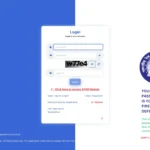
Nitte (Deemed to be University) is one of Karnataka’s most respected educational groups with 36 institutions spread across three campuses in Nitte, Mangalore, and Bangalore. Managing the HR needs of thousands of faculty members, administrative staff, and support personnel across this large multi-campus network requires a dedicated digital HR system. That system is Nitte HRMS — DAKSHA.
What Is Nitte HRMS?
Nitte HRMS — branded as DAKSHA — is the official Human Resource Management System of Nitte (Deemed to be University), serving faculty and staff across all 36 Nitte institutions through one centralized portal.
Nitte HRMS is the official internal HR platform for all employees of the Nitte group of institutions. The portal is branded DAKSHA and is accessible at nitteonline.co.in/hr/login.mps. A notable feature is the first-time login rule — employees visiting the portal for the first time use their Date of Birth in dd-mm-yyyy format as the default password.
About Nitte (Deemed to be University)
Understanding Nitte’s scale as a multi-campus educational group with 36 institutions explains why a unified centralized HRMS serving diverse staff categories across campuses is essential.
| Feature | Details |
| Founded | 1979 (Nitte Education Trust) |
| University Status | Deemed to be University |
| Headquarters | Nitte, Dakshina Kannada, Karnataka |
| Other Campuses | Mangalore and Bangalore |
| Institutions | 36 institutions across three campuses |
| Fields | Medical, Dental, Engineering, Management, Humanities, Vocational |
| Notable Institution | K.S. Hegde Charitable Hospital (1000-bed multi-specialty) |
| Official HRMS URL | nitteonline.co.in/hr/login.mps |
| Portal Name | DAKSHA |
| First Login Password | Date of Birth in dd-mm-yyyy format (e.g., 15-06-1990) |
Nitte HRMS — Quick Reference Table
This table gives every Nitte faculty member and staff employee the critical portal information they need for quick, confident access to the DAKSHA portal.
| Feature | Details |
| Official Portal URL | nitteonline.co.in/hr/login.mps |
| Portal Name | DAKSHA — Nitte HRMS Portal |
| First-Time Login Password | Date of Birth in dd-mm-yyyy format |
| Login Credentials | Employee ID + Password (provided by HR on joining) |
| Password Reset | Forgot Password on login page + HR helpdesk for fallback |
| Who Can Access | Nitte faculty, administrative staff, and support employees |
| Self Registration | Not available — HR provides credentials on joining |
| Retired Employee | Retired Employee Registration available on the portal |
Who Can Access Nitte HRMS?
Access to DAKSHA is restricted to authorized Nitte University employees only — credentials are issued by HR and the portal is not accessible to students, parents, or the general public.
- Faculty Members — Teaching staff across all 36 Nitte institutions including medical, dental, engineering, and management faculties
- Administrative Staff — Office and administrative personnel across all campuses and departments
- Support Personnel — Technical, library, laboratory, and other support staff at Nitte institutions
- Retired Employees — A dedicated Retired Employee Registration is available on the HRMS portal
How to Login to Nitte HRMS (DAKSHA)
The DAKSHA portal login is straightforward — first-time users have an especially simple entry point using their date of birth as the initial password before setting their own credentials.
First-Time Login:
- Open Google Chrome and go to nitteonline.co.in/hr/login.mps
- Enter your Employee ID as the Username — provided by your institution’s HR department
- For the password, enter your Date of Birth in dd-mm-yyyy format — for example, 15-06-1990
- Click Login — you are prompted to change your default password immediately
- Set a strong new password — your DAKSHA HRMS dashboard is now accessible
Regular Login (After Password is Set):
- Go to nitteonline.co.in/hr/login.mps
- Enter your Employee ID and your set password
- Click Login — your personalized DAKSHA dashboard opens
How to Reset Your Nitte HRMS Password
If the Forgot Password option does not work, Nitte provides direct HR helpdesk support — zone-wise helpline numbers are listed on the HRMS portal for immediate assistance.
- Go to nitteonline.co.in/hr/login.mps
- Click the “Forgot Password” option on the login page
- Enter your User ID and the required details
- An OTP is sent to your registered mobile number
- Enter the OTP and press Submit
- Set a new strong password and confirm it
Important: If Forgot Password does not work, contact your institution’s HR department directly. As stated on the portal: “If Forgot Password does not work, please contact your institution’s HR department so that they can update your records.” Zone-wise helpdesk mobile numbers are listed on the HRMS portal.
How to Download Salary Slip from Nitte HRMS
Nitte HRMS provides faculty and staff with direct access to monthly salary slips and income documents through the Payroll module after login — no HR visit required.
- Login to nitteonline.co.in/hr/login.mps with your Employee ID and password
- Navigate to the Payroll or Salary section on your dashboard
- Click on Salary Slip or Pay Slip
- Select the Month and Year for which you want the document
- Click View or Download to save as PDF
The Payroll section also provides: Income statements for the financial year and Form 16 — Annual TDS certificate for filing income tax returns.
All Features and Services on Nitte HRMS
DAKSHA provides Nitte’s multi-campus workforce with a complete digital HR ecosystem — covering payroll, attendance, leave, performance, recruitment, and training in one integrated platform.
Payroll Management
The payroll module ensures accurate salary processing for faculty and staff across all 36 Nitte institutions — with transparent payslips, income statements, and Form 16 accessible anytime.
Monthly salary slips, annual income statements, and Form 16 are available for download directly. The system automates calculations across different pay scales applicable to medical faculty, engineering faculty, and administrative staff — each with potentially different salary structures.
Leave Management
The leave module digitizes the entire leave workflow for Nitte faculty and staff — from online application to supervisor approval — with automatic leave balance updates after every approved request.
Employees apply for all leave types — CL, EL, Medical Leave — through the DAKSHA portal. The application is forwarded digitally to the reporting head (Head of Department or Principal) for approval. Real-time tracking of leave balance, application status, and leave history are visible on the dashboard.
Attendance Tracking
Attendance records for Nitte faculty and staff are maintained digitally — covering daily presence, working hours, and holiday schedules — accessible in real time through the DAKSHA dashboard.
Daily attendance records including working hours and holiday schedules are available to employees through the portal. Faculty can verify their attendance for any given period and raise correction requests for discrepancies.
Performance Review
The performance evaluation module enables structured faculty appraisals and career tracking — supporting Nitte’s commitment to faculty development across its medical, engineering, and management institutions.
Faculty and staff can access performance evaluations, promotion details, and career growth records through the HRMS portal. Managers use the system to conduct structured reviews and record feedback that feeds into annual increment and promotion decisions.
Training and Development
The training module gives Nitte faculty access to training programs and learning resources — supporting continuous professional growth, particularly important for medical faculty with CME requirements.
Faculty access training programs, skill development courses, and seminars through the portal. Training completion is recorded against the employee profile. For medical and clinical faculty who have mandatory continuing medical education (CME) requirements, this module helps ensure compliance.
Common Problems and Solutions
This troubleshooting table covers the most frequently reported Nitte HRMS issues with practical solutions that most faculty and staff can apply independently.
| Problem | Cause | Solution |
| First login not working | Wrong date of birth format | Use dd-mm-yyyy format exactly (e.g., 05-09-1985 — not 5-9-1985 or 1985-09-05) |
| Forgot Password not working | Mobile/email not updated in HR records | Contact your institution’s HR department to update your records |
| Salary slip not showing | Payroll not yet processed | Wait for HR to complete payroll; contact accounts section if delayed |
| Leave application pending | Reporting head not yet acted | Follow up with your Head of Department or Principal |
| Cannot find Form 16 | Annual processing not complete | Form 16 is available after the financial year ends — typically by June |
Frequently Asked Questions
Answers to the most common questions from Nitte faculty and staff about the DAKSHA portal, first-time login, salary slips, and helpdesk support.
Q: What is the official URL for Nitte HRMS?
The official portal is nitteonline.co.in/hr/login.mps. This is the DAKSHA HRMS portal for all Nitte (Deemed to be University) faculty and staff.
Q: What is DAKSHA in Nitte HRMS?
DAKSHA is the name of Nitte University’s official HRMS portal — the branded name for the Human Resource Management System used by all faculty, administrative, and support staff across Nitte’s 36 institutions.
Q: What is the first-time login password for Nitte HRMS?
For first-time visitors, the password is your Date of Birth in dd-mm-yyyy format — for example, 15-06-1990 for someone born on 15th June 1990. You will be asked to change this immediately after first login.
Q: Who can access the Nitte HRMS portal?
Only authorized Nitte University employees — faculty members, administrative staff, and support personnel of the 36 Nitte institutions. Retired Nitte employees can use the Retired Employee Registration available on the portal.
Q: Can I download Form 16 from Nitte HRMS?
Yes. Form 16 and income tax documents are available in the Payroll section after login. Form 16 is typically generated and available after the financial year ends — usually by June of the following year.
Q: What if the Forgot Password option does not work?
Contact your institution’s HR department directly. The portal itself states: “If Forgot Password does not work, please contact your institution’s HR department so that they can update your records.” Zone-wise helpdesk numbers are listed on the portal.
Q: Can I apply for leave through the Nitte HRMS portal?
Yes. Login → Leave section → Apply for Leave → Select leave type (CL, EL, Medical Leave) → Enter dates and reason → Submit. The application goes to your reporting head for digital approval.
Q: Is Nitte HRMS accessible from mobile phones?
Yes. The nitteonline.co.in/hr/login.mps portal is accessible through any mobile browser on Android or iOS. Check with your HR department for any institution-specific mobile apps available.