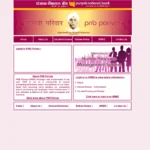
The State Bank of India is India’s largest public sector bank, with over 2.5 lakh active employees and millions of pensioners spread across every corner of the country and 32 nations globally. Managing HR records, payroll, leave, medical benefits, and pension for this workforce requires a world-class digital backbone — and that backbone is SBI HRMS, accessible at hrms.sbi.bank.in.
What Is SBI HRMS?
SBI HRMS is the official Human Resource Management System of the State Bank of India — a centralized digital platform managing payroll, salary slips, leave, medical benefits, performance, and pension services for SBI’s active employees and retired pensioners.
SBI HRMS is the official HR portal of the State Bank of India at hrms.sbi.bank.in. It centralizes all employee and pensioner data — service records, salary slips, leave management, tax documents, medical claims, and pension services — into one secure platform. In 2026, SBI HRMS operates under the secure .bank.in domain with mandatory two-factor authentication (OTP) and device binding for the MyHRMS mobile app. A separate portal for pensioners is also accessible at sbi.co.in/web/pensioners.
| Feature | Details |
|---|---|
| Portal URL | hrms.sbi.bank.in |
| Pensioner Portal | sbi.co.in/web/pensioners |
| User ID | 7-digit PF Index Number |
| Password Type | ADS (Active Directory Services) Password |
| Security (2026) | Mandatory OTP 2FA + Device Binding on MyHRMS app |
| Mobile App | MyHRMS App v10.1+ — Android + iOS — MPIN secured |
| Password Reset | ADS portal (intranet) or Forgot Password on login page |
| Employees Covered | 2.5 lakh+ active employees + millions of pensioners |
How to Login to SBI HRMS
SBI HRMS login uses the 7-digit PF Index Number as User ID combined with an ADS password and mandatory OTP — a three-layer authentication ensuring only verified SBI staff and pensioners access the system.
- Open Chrome and navigate to hrms.sbi.bank.in
- Enter your 7-digit PF Index Number as User ID
- Enter your ADS (Active Directory Services) Password
- Complete the Captcha verification
- Enter the OTP sent to your registered mobile number (mandatory 2FA from 2026)
- Click Login — your SBI HRMS dashboard opens
Password Reset: Reset via the ADS portal on SBI’s intranet, or use the Forgot Password option on the login page. If your registered mobile number is not updated, contact your branch HR or CDO-15 records team.
How to Download Salary Slip from SBI HRMS
SBI employees download monthly salary slips and annual Form 16 directly from the HRMS dashboard — available for any historical period with a 2026-upgraded automated Tax Projection tool.
- Login to hrms.sbi.bank.in
- On your dashboard, navigate to Payroll or Salary Slip section
- Select the Month and Year
- Click Download to save as PDF
- For Form 16: navigate to Tax Documents → Form 16 → select Financial Year → Download
All SBI HRMS Modules and Features
SBI HRMS covers the complete employee lifecycle — payroll, leave, medical insurance, pension, performance appraisals, and the 2026-upgraded Tax Projection tool for regime selection.
- Payroll & Salary Slips — Monthly payslip download + annual salary statements + Form 16
- Tax Projection Tool (2026) — Automated tool helping staff choose between old and new tax regimes
- Leave Management — Apply for LAP (Leave on Account of Personal), Casual Leave, Sick Leave with Leave Encashment calculator for LTC/LFC planning
- SBI Health Assist (Mediclaim) — HRMS is the gateway for mediclaim renewals, premium payments, and policy tracking
- Performance Appraisal — Annual performance reviews linked to career progression
- Pension Services — Pension slips, arrears calculation sheets; Video Life Certificate submission digitally
- HR Analytics — Controllers and branch managers access real-time staff strength and deployment data
MyHRMS Mobile App — 2026 Features
The MyHRMS mobile app (version 10.1+) brings SBI HRMS to smartphones — with Device Binding, MPIN login, and access to all core HR services on Android and iOS.
In 2026, SBI introduced Device Binding — the MyHRMS app can only be used on one registered mobile device at a time. After setup, access is secured through MPIN. The app covers salary slip downloads, leave applications, mediclaim access, pension services, and performance tracking. Download from Google Play Store or Apple App Store — search “MyHRMS SBI”.
Pension Services on SBI HRMS
Retired SBI employees access pension slips, arrears sheets, and submit Video Life Certificates digitally through SBI HRMS — avoiding physical branch visits entirely.
Retired SBI employees access the pensioner section at sbi.co.in/web/pensioners or through the HRMS portal. Key pensioner services include: monthly pension slip download, arrears calculation sheets, Video Life Certificate (VLC) submission from home via smartphone camera, and digital submission of annual life proof — all eliminating physical branch visits.
Frequently Asked Questions
❓ What is the SBI HRMS login URL?
The official portal is hrms.sbi.bank.in. Use your 7-digit PF Index Number as User ID and ADS Password. OTP 2FA is mandatory from 2026.
❓ What is MyHRMS?
MyHRMS is SBI’s official mobile app for employees (v10.1+), available on Android and iOS. It uses Device Binding (one device only) and MPIN for secure access to payslips, leave, mediclaim, and pension services.
❓ Can SBI pensioners use HRMS?
Yes. Pensioners access SBI HRMS or sbi.co.in/web/pensioners for pension slips, arrears, and Video Life Certificate submission.
❓ What is the Tax Projection Tool on SBI HRMS 2026?
A 2026 upgrade that automatically calculates your tax liability under both the old and new tax regimes, helping you choose the most beneficial option before submitting your tax declaration.